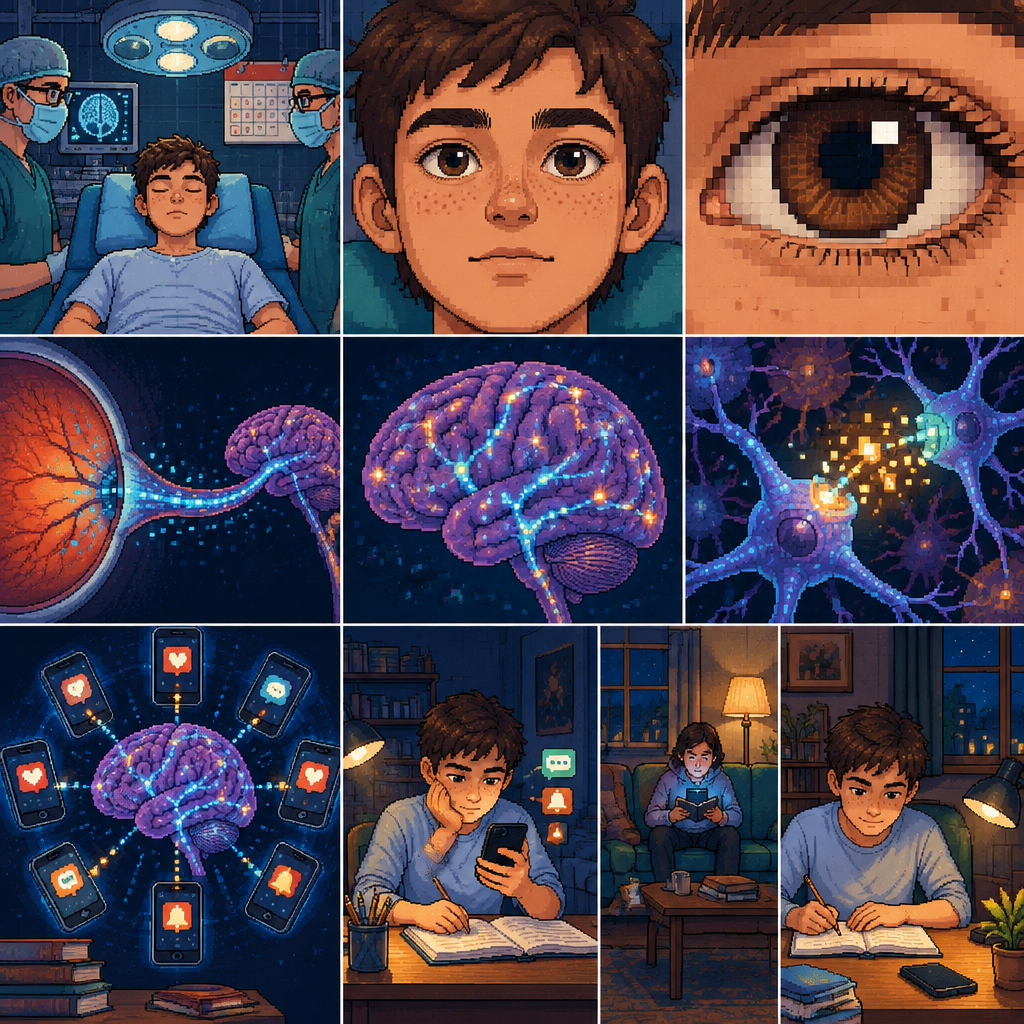
Create a 54-second vertical 9:16 animated educational video in extremely detailed, authentic 16-bit retro pixel art style, inspired by classic 1990s medical simulation video games. The video must tell one continuous visual story about smartphone use, the brain’s reward system, attention, and everyday habits.

CRITICAL VISUAL CONSISTENCY:
The entire video must use one consistent pixel art style, one consistent pixel scale, one carefully controlled color palette, and consistent character designs. Every scene must look as if it belongs to the same professionally designed retro video game. Use crisp square pixels, deliberate pixel clusters, stepped outlines, sophisticated dithering, layered sprite shading, and clearly visible individual pixels. No photorealism, no anime, no vector graphics, no smooth CGI, no plastic-looking 3D characters, no blurry pixels, and no anti-aliasing.

MAIN CHARACTER:
A teenage boy, approximately 17 years old, with short dark brown hair, warm light skin, thick pixel-art eyebrows, subtle freckles, expressive brown eyes, and a light blue shirt or medical gown depending on the scene. Preserve his facial proportions, hairstyle, skin tone, and recognizable features throughout the entire video.

SUPPORTING CHARACTERS:
Two doctors wearing dark teal surgical scrubs, teal surgical caps, pale blue medical masks, and square pixel-art glasses. In later everyday-life scenes, include a family member in the background without making them the focal point.

COLOR PALETTE:
Deep navy blue backgrounds, dark teal environments, turquoise and cyan highlights, muted violet brain tissue, dusty pink and warm peach highlights, dark plum shadows, brown hair, warm skin tones, and restrained amber notification lights. Maintain the same palette across all scenes.

SCENE 1 — THE MEDICAL EXAMINATION ROOM (0–6 SECONDS):
A symmetrical, front-facing medium shot of the teenage boy lying on a turquoise padded medical examination chair in a dark navy examination room. Two doctors stand on either side of him. A pixel-art surgical examination lamp hangs overhead, and a paper calendar with a muted-red top and small blue date squares hangs behind his head. A precise luminous blue square grid covers the walls. The boy’s eyes are closed. His chest moves subtly as he breathes. The doctors make minimal natural idle movements. Begin with the entire examination room visible, then slowly move the camera closer to the boy’s face.

SCENE 2 — THE EYE CLOSE-UP (6–12 SECONDS):
Continue seamlessly into a close-up of the same boy’s face. Show detailed square pixels defining his eyebrows, eyelashes, freckles, cheeks, nose, and lips. His eyelids slowly open, revealing rich brown pixel-art irises, dark pupils, and tiny square reflections. The camera steadily approaches his right eye until the pupil fills almost the entire screen. Maintain precise pixel structure even during the camera movement. End with the dark pupil acting as a visual portal into the next scene.

SCENE 3 — INSIDE THE EYE AND THE OPTIC NERVE (12–18 SECONDS):
Travel visually through the dark pupil into a stylized internal representation of the eye. Show a brown and amber pixel-art iris, a retina composed of organized red, orange, violet, and turquoise pixel clusters, and a clearly recognizable optic nerve. Small cyan and electric-blue square particles symbolize visual signals traveling along the optic nerve. Follow these particles toward a floating human brain in a deep navy environment. The brain gradually becomes larger in the frame. Use a continuous forward camera movement with no abrupt cuts. This is a stylized educational visualization, not a literal microscopic medical simulation.

SCENE 4 — THE BRAIN AND NEURAL PATHWAYS (18–24 SECONDS):
Reveal a recognizable human brain floating at the center of the screen. Construct the brain from distinct square pixel clusters in muted violet, dusty pink, peach, and deep plum. Thin turquoise and electric-blue pathways connect different regions. Small luminous square particles travel along these pathways. The camera gently pulls back to reveal the brain’s overall shape. The brain must remain visually consistent in all subsequent brain scenes.

SCENE 5 — THE REWARD SYSTEM (24–30 SECONDS):
Move closer to a stylized region of the brain. A cluster of neurons emits restrained golden-yellow and turquoise square particles. The particles form luminous pathways connecting nearby neural structures. Small pixel highlights suggest reward-related signaling. Use a deep navy background, violet brain tissue, cyan pathways, and subtle amber light. The composition should feel fascinating and educational, not frightening. Do not label any specific brain region unless scientifically verified. Do not represent the visualization as a literal recording of brain activity.

SCENE 6 — REPEATED SMARTPHONE NOTIFICATIONS (30–36 SECONDS):
Pull back to show the same brain surrounded by several small retro pixel-art smartphone icons. Each smartphone displays a simple glowing square notification symbol without readable text. Arrange the phones in a circular pattern around the brain. Numerous cyan, turquoise, and amber pixel particles form separate trails around the composition, symbolizing repeated digital stimuli and competing signals. Keep the brain as the dominant central subject. Use detailed sprite shading, crisp square pixels, controlled dithering, and the same navy-teal-violet palette.

SCENE 7 — DISTRACTION WHILE STUDYING (36–42 SECONDS):
Transition into a dim bedroom featuring the same teenage boy, now wearing his light blue shirt. He sits at a desk with an open school notebook and a pencil. He holds a glowing smartphone and looks down at its screen instead of his schoolwork. Several small turquoise and amber notification symbols hover near the phone. The desk is made of warm brown pixel clusters. A small desk lamp, navy-blue wall with a subtle square grid, and understated bedroom details complete the setting. Use a medium shot that clearly shows the boy, phone, notebook, and pencil. The phone glow contrasts with the warmer desk lighting. Maintain the exact same facial features, hairstyle, and sprite proportions.

SCENE 8 — EVERYDAY LIFE IN THE BACKGROUND (42–48 SECONDS):
Show the same teenage boy seated on a turquoise sofa in a cozy living room at night. He holds his smartphone close to his face, focused on the screen. A family member sits at the other end of the sofa, softly illuminated by a warm floor lamp. A small table holds a cup and a book. The boy’s attention is directed toward the phone, while the family member and the surrounding room remain visible but secondary. Use navy, teal, muted brown, beige, and amber pixel clusters. The phone casts a restrained cyan glow on the boy’s face. Convey distraction through composition and body language, without blaming or shaming the character.

SCENE 9 — REDIRECTING ATTENTION (48–54 SECONDS):
Transition to the same teenage boy seated at a tidy desk in a softly illuminated room. He has placed his smartphone face down on one corner of the desk. He is writing in an open notebook with a pencil, looking at his work with a calm, focused expression. A small desk lamp illuminates the notebook. Through the window, a deep navy evening sky contains a few square pixel stars. Keep the phone visible but no longer dominant. The boy, notebook, and pencil become the visual focal point. Use warm amber light, muted teal, light blue, cream, and brown pixel clusters. End with a stable, balanced composition that suggests one possible moment of redirecting attention. Do not imply that changing phone habits is effortless or that one action guarantees recovery.

CAMERA AND ANIMATION:
Use smooth, deliberate camera movements, gradual push-ins, controlled pull-backs, subtle character idle motion, and visually coherent transitions. The eye-to-brain sequence should feel like one continuous cinematic journey. The transitions between the brain, neural pathways, smartphone icons, and everyday scenes must preserve visual continuity. Keep the pixel art crisp throughout camera movement.

EDITING AND AUDIO DIRECTION:
Designed for a vertical Instagram Reels format. Use a consistent rhythm and clear visual storytelling. Suggested sound design: subtle retro electronic ambience, a soft medical-room hum, a short rising digital transition during the eye sequence, restrained notification sounds, and a gentle closing sound in the final study scene. Do not add spoken dialogue or generated narration. Leave room for Turkish voice-over and captions to be added later in the video editor.

FINAL QUALITY REQUIREMENTS:
Consistent 16-bit pixel art throughout. Sharp square pixels at every shot size. Detailed but readable compositions. No sudden changes in character appearance, clothing, art style, pixel density, or color palette. No random extra characters, malformed anatomy, duplicated facial features, or distorted hands. No text, subtitles, logos, or watermarks. Vertical 9:16 aspect ratio, polished retro educational video game aesthetic.

Create a 54-second vertical 9:16 animated educational video in extremely detailed, authentic 16-bit retro pixel art style, inspired by classic 1990s medical si…

More from the community

create a flamingo
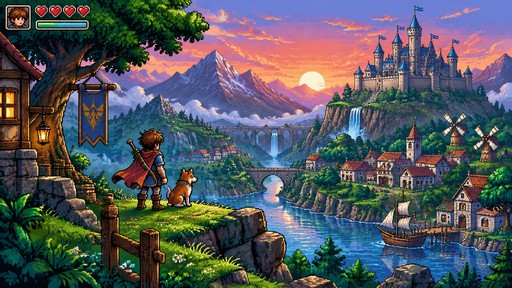
create a flamingo

https://pxlart.com/create

https://pxlart.com/create

Create an isometric alien fish

Create an isometric alien fish

create a lion in 9:16

create a lion in 9:16

create a flamingo in 9:16

create a flamingo in 9:16

create a mango basket with 2 shades per color

create a mango basket with 2 shades per color

create a flamingo , each pixel has a size of 5mm

create a flamingo , each pixel has a size of 5mm

Create an hamster like this  a retro game style
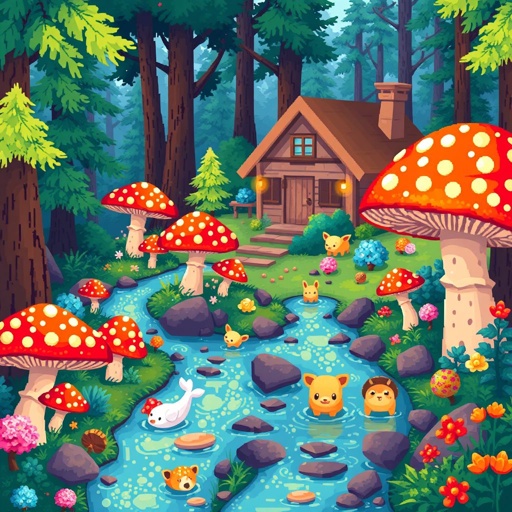
Create an hamster like this a retro game style

Create me an rare profitable image to crochet

Create me an rare profitable image to crochet

create a monkey image within the dimension of 160px X 288px
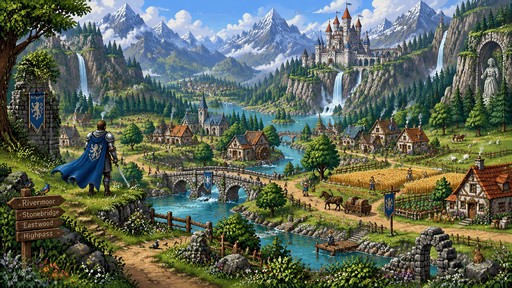
create a monkey image within the dimension of 160px X 288px

Create an extremely detailed, handcrafted pixel-art fantasy world, inspired by classic 32-bit JRPG environments. The scene should feel like a vast, peaceful and living medieval fantasy kingdom, viewed from a wide cinematic perspective.
The main landscape is a huge lush green valley surrounded by enormous majestic mountains, with some distant snow-covered peaks. A beautiful turquoise river winds naturally through the entire valley, fed by several waterfalls cascading down tall rocky cliffs. In the distance, build a magnificent medieval fantasy castle on an elevated mountainside, with elegant stone towers, red and blue rooftops, walls, bridges and waterfalls flowing beneath it. The castle should be impressive but integrated naturally into the landscape rather than dominating the entire image.
Make the valley feel alive and inhabited. Add a small peaceful farming village near the river with several cozy stone-and-wood cottages, tiny farms, wooden fences, wheat fields, vegetable gardens, hay bales and a watermill. Include small pixel-art farmers working in the fields, one farmer carrying a basket, another tending crops, a shepherd with a few sheep, cows grazing in the distance, chickens near a farmhouse, and a horse pulling a small wooden cart along a dirt road. Add a few villagers walking between houses and one fisherman beside the river. Keep all people relatively small so the enormous landscape remains the main focus.
In the foreground, place a lone silver-armored knight with a blue cape standing on a grassy overlook, looking across the valley toward the distant castle. Nearby, create a winding dirt path that descends toward the village and eventually crosses the river through a beautiful old stone bridge.
Fill the environment with tiny handcrafted details: wildflowers, patches of colorful flowers, moss-covered rocks, tall grass, pine and deciduous forests, little wooden signs, barrels, fences, stone ruins, birds flying above the valley, smoke gently rising from cott

Create an extremely detailed, handcrafted pixel-art fantasy world, inspired by classic 32-bit JRPG environments. The scene should feel like a vast, peaceful and living medieval fantasy kingdom, viewed from a wide cinematic perspective. The main landscape is a huge lush green valley surrounded by enormous majestic mountains, with some distant snow-covered peaks. A beautiful turquoise river winds naturally through the entire valley, fed by several waterfalls cascading down tall rocky cliffs. In the distance, build a magnificent medieval fantasy castle on an elevated mountainside, with elegant stone towers, red and blue rooftops, walls, bridges and waterfalls flowing beneath it. The castle should be impressive but integrated naturally into the landscape rather than dominating the entire image. Make the valley feel alive and inhabited. Add a small peaceful farming village near the river with several cozy stone-and-wood cottages, tiny farms, wooden fences, wheat fields, vegetable gardens, hay bales and a watermill. Include small pixel-art farmers working in the fields, one farmer carrying a basket, another tending crops, a shepherd with a few sheep, cows grazing in the distance, chickens near a farmhouse, and a horse pulling a small wooden cart along a dirt road. Add a few villagers walking between houses and one fisherman beside the river. Keep all people relatively small so the enormous landscape remains the main focus. In the foreground, place a lone silver-armored knight with a blue cape standing on a grassy overlook, looking across the valley toward the distant castle. Nearby, create a winding dirt path that descends toward the village and eventually crosses the river through a beautiful old stone bridge. Fill the environment with tiny handcrafted details: wildflowers, patches of colorful flowers, moss-covered rocks, tall grass, pine and deciduous forests, little wooden signs, barrels, fences, stone ruins, birds flying above the valley, smoke gently rising from cott

create a camel with pyramid in background , each pixel has a size of 5mm

create a camel with pyramid in background , each pixel has a size of 5mm