cartoon-cotton-candy-otter,-full-body,-white-background pixel art
pixel artworks tagged “cartoon-cotton-candy-otter,-full-body,-white-background”, generated by the community. Click any artwork to view or download it — or type your own cartoon-cotton-candy-otter,-full-body,-white-background idea in the studio.
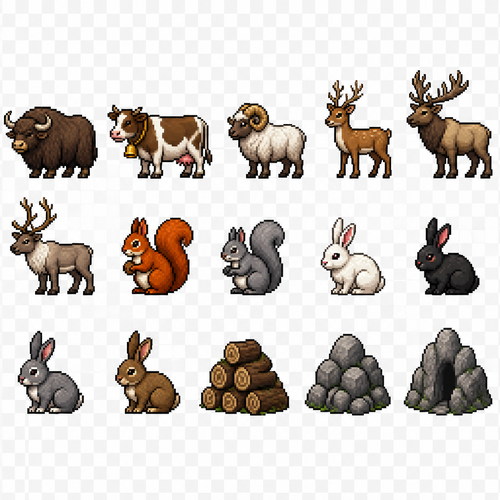
Create a 2D pixel art sprite sheet featuring 15 individual icons each exactly 32x32 pixels, arranged 5 horizontally and 3 vertically spaced evenly. Style: classic fantasy RPG, inspired by 16bit games, with crisp pixel art, clean outlines, subtle shading, and a cohesive color palette. Use a transparent background. Each Icon should be centered within its 32x32 canvas and remain highly readable at small sizes. The 15 icons are: 1: Yak 2: Cow - with a bell on its neck 3: Ram 4: Deer 5: Elk 6: Caribou 7: Red Squirrel 8: Gray Squirrel 9: White Rabbit 10: Black Rabbit 11: Grey Rabbit 12: Brown Rabbit 13: Log Pile - Big pile of random logs 14: Rock Pile - big pile of random rocks 15: Rock crevice Requirements: • Each icon must be exactly 32x32 pixels. • All based off of real life variants. • All facing sideways so you see the side of their bodies. • Output as a sprite sheet with each icon occupying its own 32x32 cell** DO NOT GO OUT PAST THESE PARAMETERs** • Transparent background. • No text, labels, borders, or UI elements. • Consistent Fantasy RPG Aesthetic across all icons. • High contrast and excellent readability for use in a game interface. • Clean polished pixel art with enough detail for low resolution sprites. • Avoid anti-aliasing, blurring, or painterly effects; preserve a true pixel art appearance.
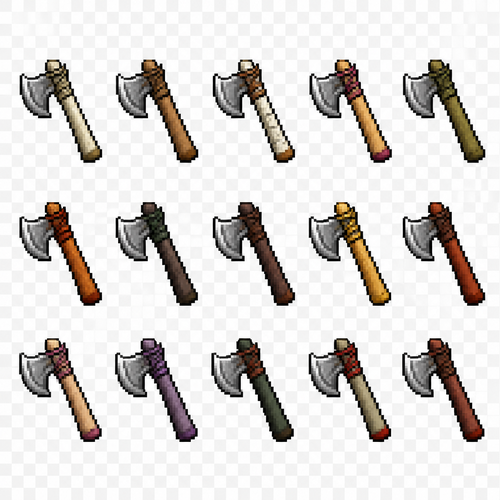
Create a 2D pixel art sprite sheet featuring 15 individual icons each exactly 32x32 pixels, arranged 5 horizontally and 3 vertically spaced evenly. Style: classic Realism RPG, inspired by 16bit games, with crisp pixel art, clean outlines, subtle shading, and a cohesive color palette. Use a transparent background. Each Icon should be centered within its 45x45 canvas and remain highly readable at small sizes. The 15 icons are: 1: White Oak Throwing Axe 2: Elm Throwing Axe 3: Birch Throwing Axe 4: Dogwood Throwing Axe 5: Willow Throwing Axe 6: Maple Throwing Axe 7: Hemlock Throwing Axe 8: Spruce Throwing Axe 9: Acacia Throwing Axe 10: Sequoia Throwing Axe 11: Magnolia Throwing Axe 12: Jacaranda Throwing Axe 13: Yew Throwing Axe 14: Boxelder Throwing Axe 15: Redwood Throwing Axe Requirements: • Each icon must be exactly 32x32 pixels. • All based off of real life variants. • All facing sideways so you see the side of their bodies. • Output as a sprite sheet with each icon occupying its own 32x32 cell** DO NOT GO OUT PAST THESE PARAMETERs** • Transparent background. • No text, labels, borders, or UI elements. • Consistent Fantasy RPG Aesthetic across all icons. • High contrast and excellent readability for use in a game interface. • Clean polished pixel art with enough detail for low resolution sprites. • Avoid anti-aliasing, blurring, or painterly effects; preserve a true pixel art appearance.
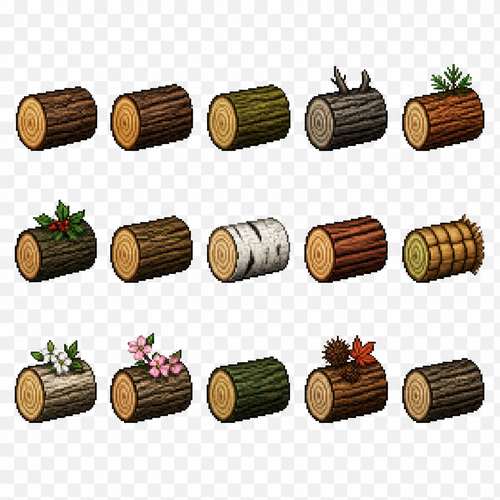
Create a 2D pixel art sprite sheet featuring 15 individual icons each exactly 32x32 pixels, arranged 5 horizontally and 3 vertically spaced evenly. Style: classic Realism RPG, inspired by 16bit games, with crisp pixel art, clean outlines, subtle shading, and a cohesive color palette. Use a transparent background. Each Icon should be centered within its 45x45 canvas and remain highly readable at small sizes. The 15 icons are: 1: Regular Tree Log 2: Oak Tree Log 3: Willow Tree Log 4: Dead Tree Log 5: Foxtail Pine Tree Log 6: Holly Tree Log 7: Elm Tree Log 8: Birch Tree Log 9: Cedar Tree Log 10: Palm Tree Log 11: White Dogwood Tree Log 12: Pink Dogwood Tree Log 13: Cyprus Tree Log 14: Sweetgum Tree Log 15: Black Cherry Tree Log Requirements: • Each icon must be exactly 32x32 pixels. • All based off of real life variants. • All facing sideways so you see the side of their bodies. • Output as a sprite sheet with each icon occupying its own 32x32 cell** DO NOT GO OUT PAST THESE PARAMETERs** • Transparent background. • No text, labels, borders, or UI elements. • Consistent Fantasy RPG Aesthetic across all icons. • High contrast and excellent readability for use in a game interface. • Clean polished pixel art with enough detail for low resolution sprites. • Avoid anti-aliasing, blurring, or painterly effects; preserve a true pixel art appearance.
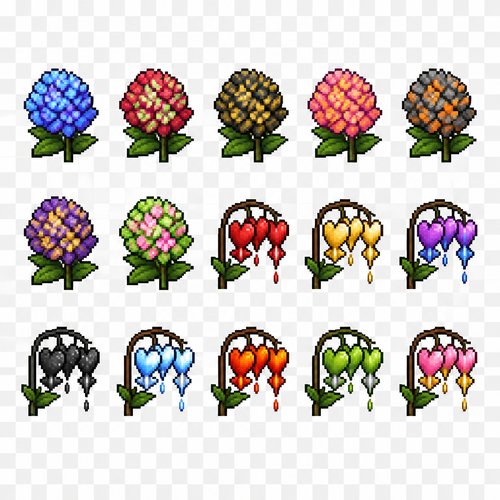
Create a 2D pixel art sprite sheet featuring 15 individual icons each exactly 32x32 pixels, arranged 5 horizontally and 3 vertically spaced evenly. Style: classic fantasy RPG, inspired by 16bit games, with crisp pixel art, clean outlines, subtle shading, and a cohesive color palette. Use a transparent background. Each Icon should be centered within its 32x32 canvas and remain highly readable at small sizes. The 15 icons are: 1: Hydrangea plant - blue and purple tie dye effect 2: Hydrangea plant - red and green tie dye effect 3: Hydrangea plant - black and gold tie dye effect 4: Hydrangea plant - pink and orange tie dye effect 5: Hydrangea plant - gray/orange and black mix effect 6: Hydrangea plant - purple and gold mixed effect 7: Hydrangea plant - Green and pink tie dye effect 8: Bleeding Hearts Flower - Red with red blood drips 9: Bleeding Hearts Flower - Gold with gold blood drips 10: Bleeding Hearts Flower - purple and blue mixed effect 11: Bleeding Hearts Flower - black with white specks like a sky 12: Bleeding Hearts Flower - light blue and white like a cloud sky 13: Bleeding Hearts Flower - orange and red like fire 14: Bleeding Hearts Flower - green and silver dripping green blobs 15: Bleeding Hearts Flower - pink and orange dripping gold Requirements: • Each icon must be exactly 32x32 pixels. • All based off of real life variants. • All facing sideways so you see the side of their bodies. • Output as a sprite sheet with each icon occupying its own 32x32 cell** DO NOT GO OUT PAST THESE PARAMETERs** • Transparent background. • No text, labels, borders, or UI elements. • Consistent Fantasy RPG Aesthetic across all icons. • High contrast and excellent readability for use in a game interface. • Clean polished pixel art with enough detail for low resolution sprites. • Avoid anti-aliasing, blurring, or painterly effects; preserve a true pixel art appearance.
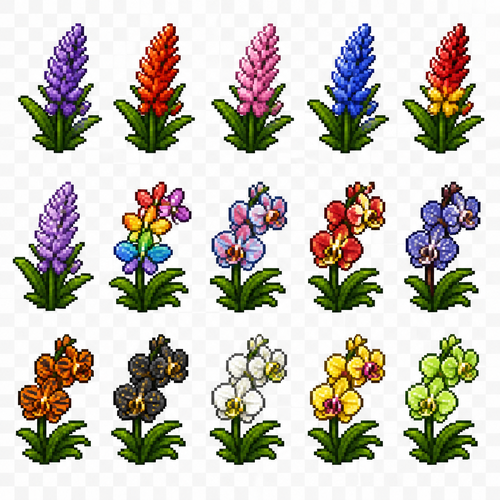
Create a 2D pixel art sprite sheet featuring 15 individual icons each exactly 32x32 pixels, arranged 5 horizontally and 3 vertically spaced evenly. Style: classic fantasy RPG, inspired by 16bit games, with crisp pixel art, clean outlines, subtle shading, and a cohesive color palette. Use a transparent background. Each Icon should be centered within its 32x32 canvas and remain highly readable at small sizes. The 15 icons are: 1: Lavender Plant - original purple 2: Lavender Plant - Red/Orange 3: Lavender Plant - Pink 4: Lavender Plant - Blue 5: Lavender Plant - Red/Yellow 6: Lavender Plant - Light Purple 7: Orchid Plant - Rainbow 8: Orchid Plant - Rose/Bluish 9: Orchid Plant - Red/Yellow 10: Orchid Plant - Blue and dark purple with white spots 11: Orchid Plant - Orange with black tiger stripes 12: Orchid Plant - Black with yellow fades like a night sky 13: 14: 15: Requirements: • Each icon must be exactly 32x32 pixels. • All based off of real life variants. • All facing sideways so you see the side of their bodies. • Output as a sprite sheet with each icon occupying its own 32x32 cell** DO NOT GO OUT PAST THESE PARAMETERs** • Transparent background. • No text, labels, borders, or UI elements. • Consistent Fantasy RPG Aesthetic across all icons. • High contrast and excellent readability for use in a game interface. • Clean polished pixel art with enough detail for low resolution sprites. • Avoid anti-aliasing, blurring, or painterly effects; preserve a true pixel art appearance.
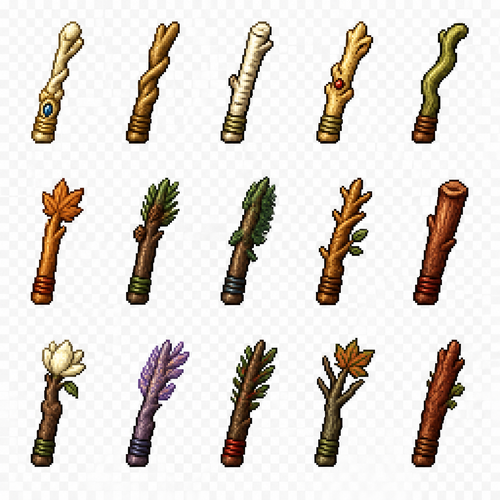
Create a 2D pixel art sprite sheet featuring 15 individual icons each exactly 32x32 pixels, arranged 5 horizontally and 3 vertically spaced evenly. Style: classic Realism RPG, inspired by 16bit games, with crisp pixel art, clean outlines, subtle shading, and a cohesive color palette. Use a transparent background. Each Icon should be centered within its 45x45 canvas and remain highly readable at small sizes. The 15 icons are: 1: White Oak Wand Handle - fancy looking smaller than staffs 2: Elm Wand Handle 3: Birch Wand Handle 4: Dogwood Wand Handle 5: Willow Wand Handle 6: Maple Wand Handle 7: Hemlock Wand Handle 8: Spruce Wand Handle 9: Acacia Wand Handle 10: Sequoia Wand Handle 11: Magnolia Wand Handle 12: Jacaranda Wand Handle 13: Yew Wand Handle 14: Boxelder Wand Handle 15: Redwood Wand Handle Requirements: • Each icon must be exactly 32x32 pixels. • All based off of real life variants. • All facing sideways so you see the side of their bodies. • Output as a sprite sheet with each icon occupying its own 32x32 cell** DO NOT GO OUT PAST THESE PARAMETERs** • Transparent background. • No text, labels, borders, or UI elements. • Consistent Fantasy RPG Aesthetic across all icons. • High contrast and excellent readability for use in a game interface. • Clean polished pixel art with enough detail for low resolution sprites. • Avoid anti-aliasing, blurring, or painterly effects; preserve a true pixel art appearance.
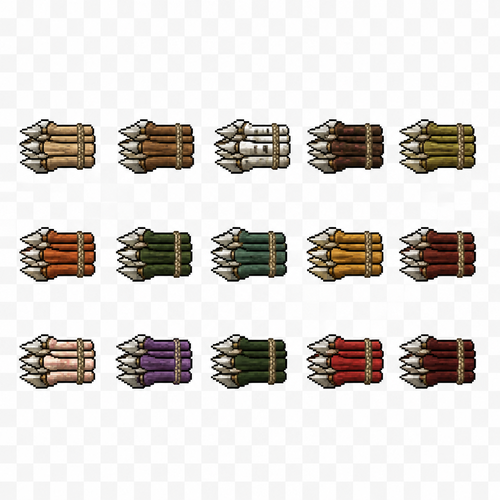
Create a 2D pixel art sprite sheet featuring 15 individual icons each exactly 32x32 pixels, arranged 5 horizontally and 3 vertically spaced evenly. Style: classic Realism RPG, inspired by 16bit games, with crisp pixel art, clean outlines, subtle shading, and a cohesive color palette. Use a transparent background. Each Icon should be centered within its 45x45 canvas and remain highly readable at small sizes. The 15 icons are: 1: White Oak Throwing Spear Stacks 2: Elm Throwing Spear Stacks 3: Birch Throwing Spear Stacks 4: Dogwood Throwing Spear Stacks 5: Willow Throwing Spear Stacks 6: Maple Throwing Spear Stacks 7: Hemlock Throwing Spear Stacks 8: Spruce Throwing Spear Stacks 9: Acacia Throwing Spear Stacks 10: Sequoia Throwing Spear Stacks 11: Magnolia Throwing Spear Stacks 12: Jacaranda Throwing Spear Stacks 13: Yew Throwing Spear Stacks 14: Boxelder Throwing Spear Stacks 15: Redwood Throwing Spear Stacks Requirements: • Each icon must be exactly 32x32 pixels. • All based off of real life variants. • All facing sideways so you see the side of their bodies. • Output as a sprite sheet with each icon occupying its own 32x32 cell** DO NOT GO OUT PAST THESE PARAMETERs** • Transparent background. • No text, labels, borders, or UI elements. • Consistent Fantasy RPG Aesthetic across all icons. • High contrast and excellent readability for use in a game interface. • Clean polished pixel art with enough detail for low resolution sprites. • Avoid anti-aliasing, blurring, or painterly effects; preserve a true pixel art appearance.
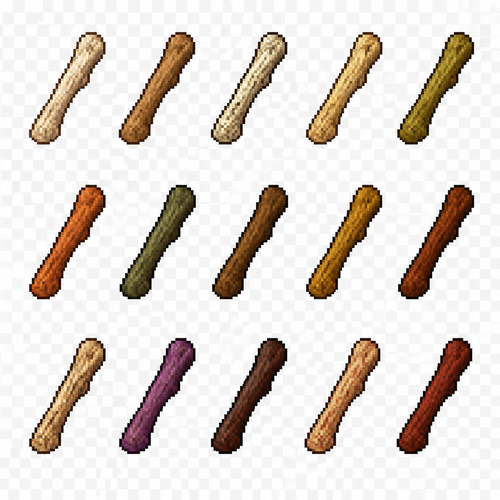
Create a 2D pixel art sprite sheet featuring 15 individual icons each exactly 32x32 pixels, arranged 5 horizontally and 3 vertically spaced evenly. Style: classic Realism RPG, inspired by 16bit games, with crisp pixel art, clean outlines, subtle shading, and a cohesive color palette. Use a transparent background. Each Icon should be centered within its 45x45 canvas and remain highly readable at small sizes. The 15 icons are: 1: White Oak Throwing Axe Handle 2: Elm Throwing Axe Handle 3: Birch Throwing Axe Handle 4: Dogwood Throwing Axe Handle 5: Willow Throwing Axe Handle 6: Maple Throwing Axe Handle 7: Hemlock Throwing Axe Handle 8: Spruce Throwing Axe Handle 9: Acacia Throwing Axe Handle 10: Sequoia Throwing Axe Handle 11: Magnolia Throwing Axe Handle 12: Jacaranda Throwing Axe Handle 13: Yew Throwing Axe Handle 14: Boxelder Throwing Axe Handle 15: Redwood Throwing Axe Handle Requirements: • Each icon must be exactly 32x32 pixels. • All based off of real life variants. • All facing sideways so you see the side of their bodies. • Output as a sprite sheet with each icon occupying its own 32x32 cell** DO NOT GO OUT PAST THESE PARAMETERs** • Transparent background. • No text, labels, borders, or UI elements. • Consistent Fantasy RPG Aesthetic across all icons. • High contrast and excellent readability for use in a game interface. • Clean polished pixel art with enough detail for low resolution sprites. • Avoid anti-aliasing, blurring, or painterly effects; preserve a true pixel art appearance.
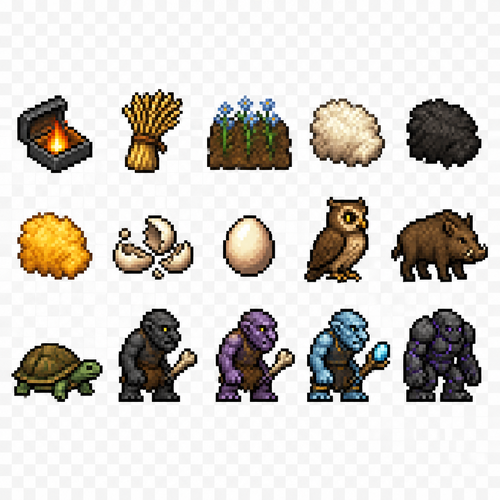
Create a 2D pixel art sprite sheet featuring 15 individual icons each exactly 32x32 pixels, arranged 5 horizontally and 3 vertically spaced evenly. Style: classic fantasy RPG, inspired by 16bit games, with crisp pixel art, clean outlines, subtle shading, and a cohesive color palette. Use a transparent background. Each Icon should be centered within its 32x32 canvas and remain highly readable at small sizes. The 15 icons are: 1: Tinderbox 2: Bundle of Flax 3: Flax Farming Field 4: White Sheep Fur 5: Black Sheep Fur 6: Gold Sheep Fur 7: Broken Eggshells 8: Chicken Egg 9: Owl 10: Boar 11: Tortoise 12: Shadow Troll - black skinned troll with a leather tunic and a bone club 13: Gryndell Troll - purple skinned troll with a leather tunic and a bone club 14: Elvengard Troll - a light blue mystical skinned troll with a magical tunic and a mythical club 15: Obsidian Golem Requirements: • Each icon must be exactly 32x32 pixels. • All based off of real life variants. • All facing sideways so you see the side of their bodies. • Output as a sprite sheet with each icon occupying its own 32x32 cell** DO NOT GO OUT PAST THESE PARAMETERs** • Transparent background. • No text, labels, borders, or UI elements. • Consistent Fantasy RPG Aesthetic across all icons. • High contrast and excellent readability for use in a game interface. • Clean polished pixel art with enough detail for low resolution sprites. • Avoid anti-aliasing, blurring, or painterly effects; preserve a true pixel art appearance.
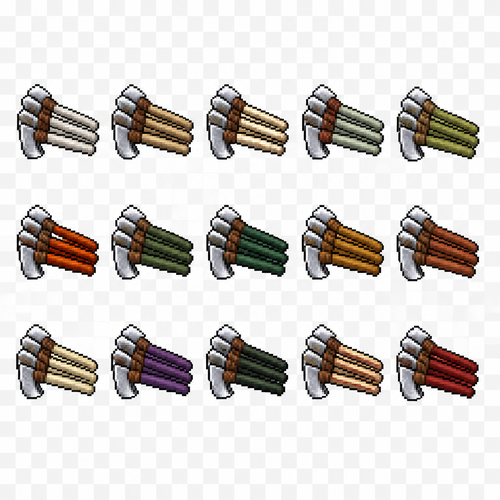
Create a 2D pixel art sprite sheet featuring 15 individual icons each exactly 32x32 pixels, arranged 5 horizontally and 3 vertically spaced evenly. Style: classic Realism RPG, inspired by 16bit games, with crisp pixel art, clean outlines, subtle shading, and a cohesive color palette. Use a transparent background. Each Icon should be centered within its 45x45 canvas and remain highly readable at small sizes. The 15 icons are: 1: White Oak Throwing Axe Stacks 2: Elm Throwing Axe Stacks 3: Birch Throwing Axe Stacks 4: Dogwood Throwing Axe Stacks 5: Willow Throwing Axe Stacks 6: Maple Throwing Axe Stacks 7: Hemlock Throwing Axe Stacks 8: Spruce Throwing Axe Stacks 9: Acacia Throwing Axe Stacks 10: Sequoia Throwing Axe Stacks 11: Magnolia Throwing Axe Stacks 12: Jacaranda Throwing Axe Stacks 13: Yew Throwing Axe Stacks 14: Boxelder Throwing Axe Stacks 15: Redwood Throwing Axe Stacks Requirements: • Each icon must be exactly 32x32 pixels. • All based off of real life variants. • All facing sideways so you see the side of their bodies. • Output as a sprite sheet with each icon occupying its own 32x32 cell** DO NOT GO OUT PAST THESE PARAMETERs** • Transparent background. • No text, labels, borders, or UI elements. • Consistent Fantasy RPG Aesthetic across all icons. • High contrast and excellent readability for use in a game interface. • Clean polished pixel art with enough detail for low resolution sprites. • Avoid anti-aliasing, blurring, or painterly effects; preserve a true pixel art appearance.
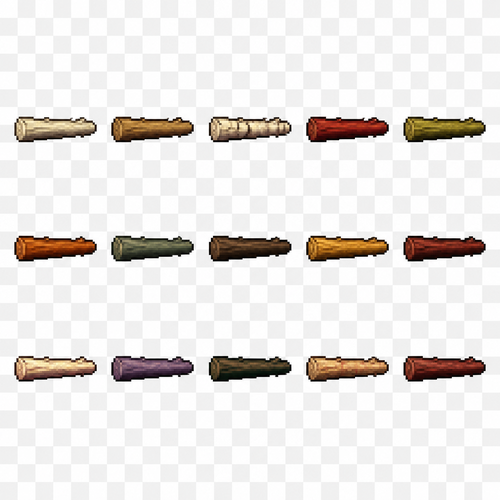
Create a 2D pixel art sprite sheet featuring 15 individual icons each exactly 32x32 pixels, arranged 5 horizontally and 3 vertically spaced evenly. Style: classic Realism RPG, inspired by 16bit games, with crisp pixel art, clean outlines, subtle shading, and a cohesive color palette. Use a transparent background. Each Icon should be centered within its 45x45 canvas and remain highly readable at small sizes. The 15 icons are: 1: White Oak Throwing Spear Shafts 2: Elm Throwing Spear Shafts 3: Birch Throwing Spear Shafts 4: Dogwood Throwing Spear Shafts 5: Willow Throwing Spear Shafts 6: Maple Throwing Spear Shafts 7: Hemlock Throwing Spear Shafts 8: Spruce Throwing Spear Shafts 9: Acacia Throwing Spear Shafts 10: Sequoia Throwing Spear Shafts 11: Magnolia Throwing Spear Shafts 12: Jacaranda Throwing Spear Shafts 13: Yew Throwing Spear Shafts 14: Boxelder Throwing Spear Shafts 15: Redwood Throwing Spear Shafts Requirements: • Each icon must be exactly 32x32 pixels. • All based off of real life variants. • All facing sideways so you see the side of their bodies. • Output as a sprite sheet with each icon occupying its own 32x32 cell** DO NOT GO OUT PAST THESE PARAMETERs** • Transparent background. • No text, labels, borders, or UI elements. • Consistent Fantasy RPG Aesthetic across all icons. • High contrast and excellent readability for use in a game interface. • Clean polished pixel art with enough detail for low resolution sprites. • Avoid anti-aliasing, blurring, or painterly effects; preserve a true pixel art appearance.
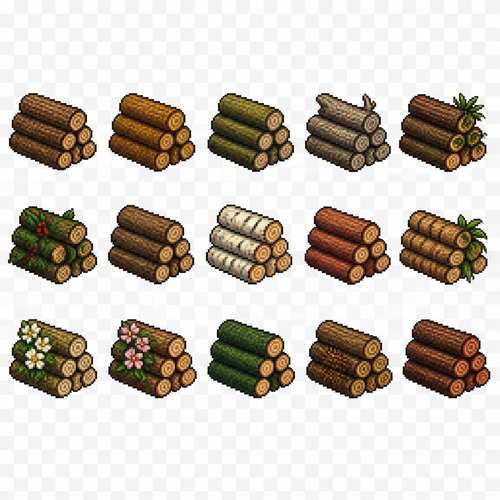
Create a 2D pixel art sprite sheet featuring 15 individual icons each exactly 32x32 pixels, arranged 5 horizontally and 3 vertically spaced evenly. Style: classic Realism RPG, inspired by 16bit games, with crisp pixel art, clean outlines, subtle shading, and a cohesive color palette. Use a transparent background. Each Icon should be centered within its 45x45 canvas and remain highly readable at small sizes. The 15 icons are: 1: Regular Tree Logs Pile 2: Oak Tree Logs Pile 3: Willow Tree Logs Pile 4: Dead Tree Logs Pile 5: Foxtail Pine Tree Logs Pile 6: Holly Tree Logs Pile 7: Elm Tree Logs Pile 8: Birch Tree Logs Pile 9: Cedar Tree Logs Pile 10: Palm Tree Logs Pile 11: White Dogwood Tree Logs Pile 12: Pink Dogwood Tree Logs Pile 13: Cyprus Tree Logs Pile 14: Sweetgum Tree Logs Pile 15: Black Cherry Tree Logs Pile Requirements: • Each icon must be exactly 32x32 pixels. • All based off of real life variants. • All facing sideways so you see the side of their bodies. • Output as a sprite sheet with each icon occupying its own 32x32 cell** DO NOT GO OUT PAST THESE PARAMETERs** • Transparent background. • No text, labels, borders, or UI elements. • Consistent Fantasy RPG Aesthetic across all icons. • High contrast and excellent readability for use in a game interface. • Clean polished pixel art with enough detail for low resolution sprites. • Avoid anti-aliasing, blurring, or painterly effects; preserve a true pixel art appearance.
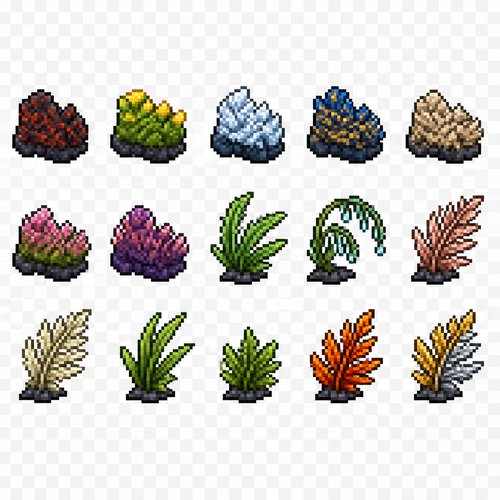
Create a 2D pixel art sprite sheet featuring 15 individual icons each exactly 32x32 pixels, arranged 5 horizontally and 3 vertically spaced evenly. Style: classic fantasy RPG, inspired by 16bit games, with crisp pixel art, clean outlines, subtle shading, and a cohesive color palette. Use a transparent background. Each Icon should be centered within its 32x32 canvas and remain highly readable at small sizes. The 15 icons are: 1: Moss Chunk - Burnt looking red/black 2: Moss Chunk - Green with yellow tips 3: Moss Chunk - Icey bluish white 4: Moss Chunk - Imperial blue and yellow streaks throughout 5: Moss Chunk - Grainy looking 6: Moss Chunk - Pink and green 7: Moss Chunk - purple and pinkish 8: Fern Plant - Spikey looking fern plant 9: Fern Plant - rain drop looking fern 10: Fern Plant - satin rose gold color 11: Fern Plant - vanilla colored 12: Fern Plant - long leafed fern 13: Fern Plant - short leafed fern 14: Fern Plant - blazing Orange fern 15: Fern Plant - gold and silver Requirements: • Each icon must be exactly 32x32 pixels. • All based off of real life variants. • All facing sideways so you see the side of their bodies. • Output as a sprite sheet with each icon occupying its own 32x32 cell** DO NOT GO OUT PAST THESE PARAMETERs** • Transparent background. • No text, labels, borders, or UI elements. • Consistent Fantasy RPG Aesthetic across all icons. • High contrast and excellent readability for use in a game interface. • Clean polished pixel art with enough detail for low resolution sprites. • Avoid anti-aliasing, blurring, or painterly effects; preserve a true pixel art appearance.
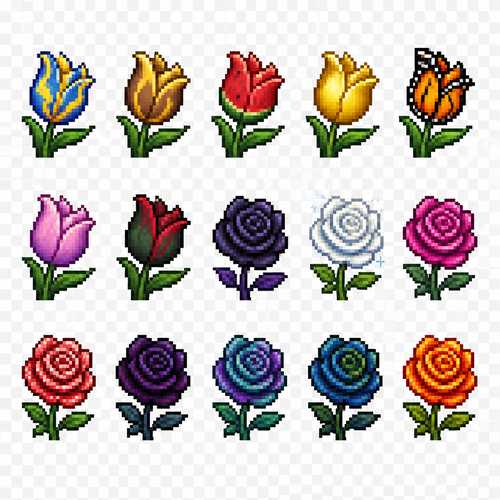
Create a 2D pixel art sprite sheet featuring 15 individual icons each exactly 32x32 pixels, arranged 5 horizontally and 3 vertically spaced evenly. Style: classic fantasy RPG, inspired by 16bit games, with crisp pixel art, clean outlines, subtle shading, and a cohesive color palette. Use a transparent background. Each Icon should be centered within its 32x32 canvas and remain highly readable at small sizes. The 15 icons are: 1: Tulip Plant - Blue and Yellow like lightning 2: Tulip Plant - Brown and yellow like a desert 3: Tulip Plant - Watermelon colored red and green 4: Tulip Plant - Gold edges 5: Tulip Plant - Patterns and color like a monarch butterfly 6: Tulip Plant - Silkish pink/purple 7: Tulip Plant - Dark green and red 8: Rose Plant - deathly purple and black 9: Rose Plant - snowy white and sparkly 10: Rose Plant - magenta colored 11: Rose Plant - strawberry colored and patterned 12: Rose Plant - midnight dark purple and black 13: Rose Plant - dark opal colored 14: Rose Plant - dark green and blue 15: Rose Plant - Orange/reddish like flames Requirements: • Each icon must be exactly 32x32 pixels. • All based off of real life variants. • All facing sideways so you see the side of their bodies. • Output as a sprite sheet with each icon occupying its own 32x32 cell** DO NOT GO OUT PAST THESE PARAMETERs** • Transparent background. • No text, labels, borders, or UI elements. • Consistent Fantasy RPG Aesthetic across all icons. • High contrast and excellent readability for use in a game interface. • Clean polished pixel art with enough detail for low resolution sprites. • Avoid anti-aliasing, blurring, or painterly effects; preserve a true pixel art appearance.
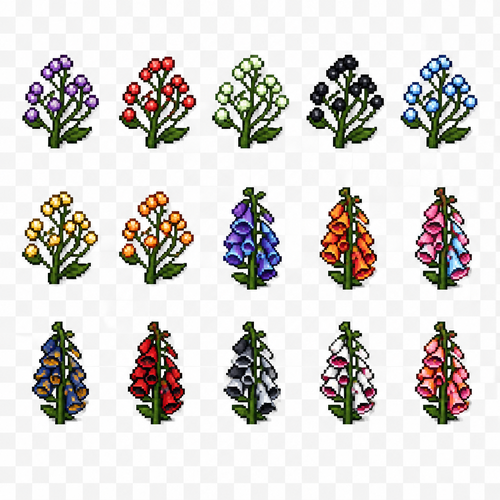
Create a 2D pixel art sprite sheet featuring 15 individual icons each exactly 32x32 pixels, arranged 5 horizontally and 3 vertically spaced evenly. Style: classic fantasy RPG, inspired by 16bit games, with crisp pixel art, clean outlines, subtle shading, and a cohesive color palette. Use a transparent background. Each Icon should be centered within its 32x32 canvas and remain highly readable at small sizes. The 15 icons are: 1: Baby’s Breath Plant - purple 2: Baby’s Breath Plant - red 3: Baby’s Breath Plant - green 4: Baby’s Breath Plant - black 5: Baby’s Breath Plant - blue 6: Baby’s Breath Plant - gold 7: Baby’s Breath Plant - Orange 8: Foxglove Flower - purple and blue mixed 9: Foxglove Flower - orange and red mixed 10: Foxglove Flower - pink and light blue mixed 11: Foxglove Flower - navy blue and gold mixed 12: Foxglove Flower - red and black mixed 13: Foxglove Flower - black and silver mixed 14: Foxglove Flower - white and dark pink mixed 15: Foxglove Flower - orange and pink mixed Requirements: • Each icon must be exactly 32x32 pixels. • All based off of real life variants. • All facing sideways so you see the side of their bodies. • Output as a sprite sheet with each icon occupying its own 32x32 cell** DO NOT GO OUT PAST THESE PARAMETERs** • Transparent background. • No text, labels, borders, or UI elements. • Consistent Fantasy RPG Aesthetic across all icons. • High contrast and excellent readability for use in a game interface. • Clean polished pixel art with enough detail for low resolution sprites. • Avoid anti-aliasing, blurring, or painterly effects; preserve a true pixel art appearance.
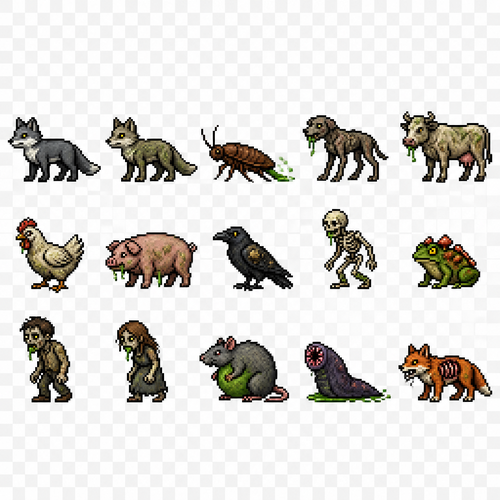
Create a 2D pixel art sprite sheet featuring 15 individual icons each exactly 32x32 pixels, arranged 5 horizontally and 3 vertically spaced evenly. Style: classic fantasy RPG, inspired by 16bit games, with crisp pixel art, clean outlines, subtle shading, and a cohesive color palette. Use a transparent background. Each Icon should be centered within its 32x32 canvas and remain highly readable at small sizes. The 15 icons are: 1: Gray Fox 2: Plagued Fox 3: Scurrying Plagued Roach - a nasty looking roach with green slime trailing its backside 4: Manged Plague Hound - a sickly looking gaunt hound with green mucus dripping from its teeth 5: Plagued Cow 6: Plagued Chicken 7: Plagued Pig 8: Blistered Raven - A tattered black bird with sickly yellow and white specks along its wings 9: Plagued Skeleton 10: Spore Back Frog - a bright green frog with fungal spores of red growing along its spine 11: Plagued Man 12: Plagued Woman 13: Bile Bloated Rat - a fat sickly looking gray rodent with a pulsing green underbelly 14: Cesspool Leech - a glistening dark purple slug with green looking excretions as a pink circular mouth 15: Mangled Fox - A bright orange fox with foam coming out of its mouth and its ribs can be seen through its fur Requirements: • Each icon must be exactly 32x32 pixels. • All based off of real life variants. • All facing sideways so you see the side of their bodies. • Output as a sprite sheet with each icon occupying its own 32x32 cell** DO NOT GO OUT PAST THESE PARAMETERs** • Transparent background. • No text, labels, borders, or UI elements. • Consistent Fantasy RPG Aesthetic across all icons. • High contrast and excellent readability for use in a game interface. • Clean polished pixel art with enough detail for low resolution sprites. • Avoid anti-aliasing, blurring, or painterly effects; preserve a true pixel art appearance.
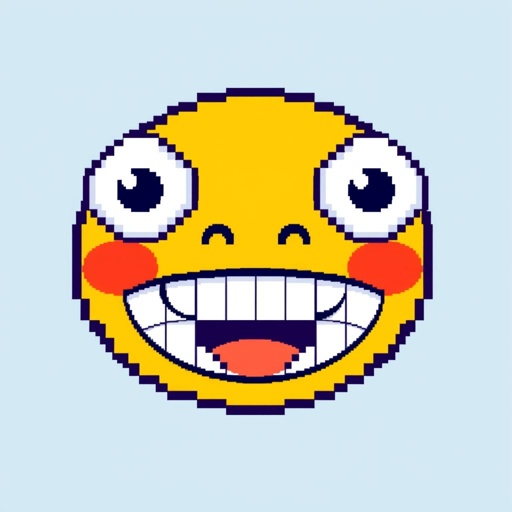
Cartoony smiley face on a blue background

In pixel art style, show 6 connected geodesic half domes in space, structurally attached to a large white spaceship. Each dome shows a different environment inside: desert, forest, ice, grassland, oceanic and volcanic. Background should be a star field in space. The whole spaceship should be visible. Retro, 16-bit, vintage, blocky. Limited palette.
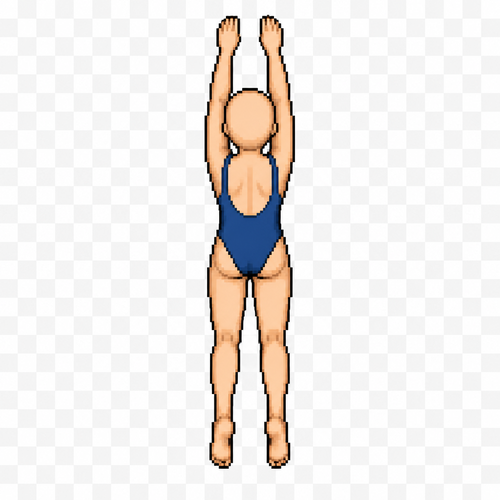
Create a single pixel art sprite for a 2D top-down game. Human female character, bald, average slim build, no hair, no accessories, wearing a simple one-piece swimsuit. Canvas size: 64×64 pixels. Transparent background. Strict top-down view. The character is facing north (up), with the head at the top of the sprite and the feet at the bottom. This is Frame 1 of a forward swimming animation. Both arms are fully extended straight above the head, reaching toward the top of the sprite in the direction of movement. The legs are slightly apart and extended behind the body. Keep the body perfectly straight and centered. Clean pixel art, limited color palette, consistent proportions, no water effects, no shadows, no background, no text, no extra objects. Do not rotate the camera. Do not create a side or isometric view. Strict orthographic top-down game sprite. The body must remain vertical. Head at the top edge, feet at the bottom edge. Arms point toward the top of the sprite only. No side view. No perspective. No diagonal pose. Pixel art game asset.
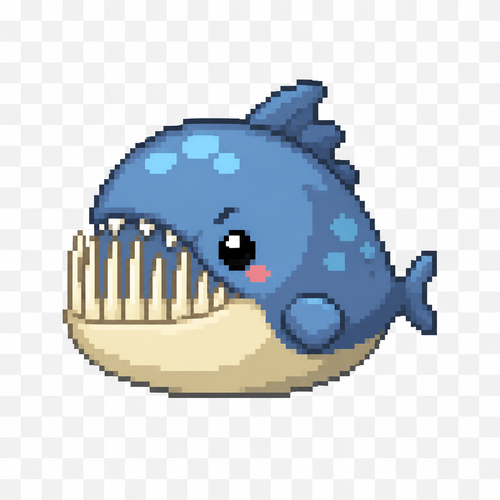
2D pixel art game sprite, 64x64 pixels, strict side view profile, cute but predatory little fish monster mob. Tiny round body with a very small short tail, oversized adorable head dominating the sprite. Mouth fully closed, small clenched jaw. Long thin needle-like lower teeth sticking upward almost the entire height of the head, much longer than the upper teeth, slightly protruding forward in a funny but dangerous way. Small short upper teeth visible. Tiny cute bead-like eye, friendly but mischievous expression. Big head, tiny body, charming fantasy creature proportions. Cute aquatic RPG enemy, soft rounded shapes, playful monster design, not scary. Clear side silhouette, one visible eye, one side of the body only. Pixel art, crisp 64x64 tile sprite, limited color palette, clean pixel clusters, retro game style, transparent background, no anti-aliasing.
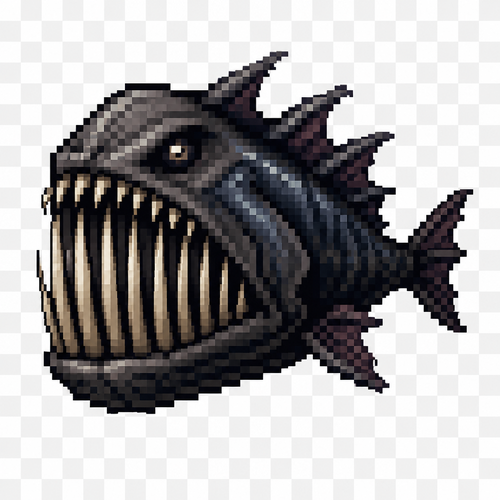
2D pixel art game sprite, 64x64 pixels, side profile, hostile predatory fish mob. Small compact body with a tiny short tail, but a huge oversized head taking up most of the sprite. Mouth fully closed, clenched jaw. Extremely long, thin needle-like lower teeth extending upward almost the entire height of the head, longer than the upper teeth, slightly protruding forward beyond the lips. Short small upper teeth visible above, creating a terrifying toothy silhouette even with the mouth closed. Tiny beady eye positioned high on the head. Aggressive predator expression. Massive skull, small body, exaggerated fantasy creature proportions. Dark aquatic monster design, sharp fins, strong readable silhouette. No background, transparent background, clean game sprite, limited color palette, high contrast, crisp pixel clusters, retro RPG style, 64x64 tile, no anti-aliasing.
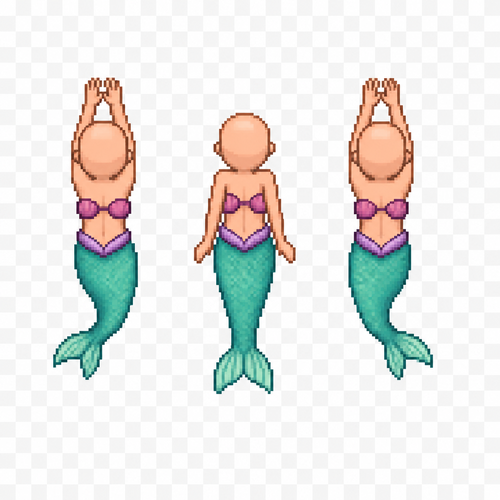
Create a 3-frame pixel art sprite animation of a female mermaid character swimming forward for a 2D top-down game. Bald (no hair). Canvas size: 64×64 pixels per frame. Transparent background. Strict top-down view (camera directly above). The character is facing north (up). Keep the body, tail, proportions, scale, and position identical in all three frames. Only animate the arms and tail. Frame 1: Both arms fully extended forward. Mermaid tail slightly curved to the left. Frame 2: Arms pulled back alongside the torso, pushing water downward. Tail centered and extended. Frame 3: Arms moving forward to begin the next stroke. Mermaid tail slightly curved to the right. Generate all three frames in the same art style and perfectly aligned for animation. Clean pixel art. Limited color palette. No water effects. No shadows. No background. No text. No extra objects. Do not rotate the camera. Do not change the character design between frames.
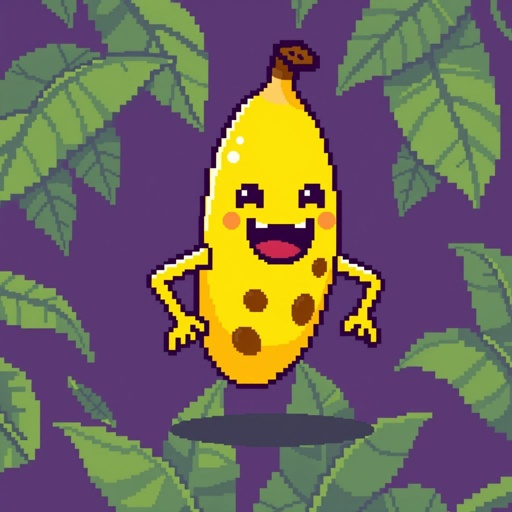
Banana enemy
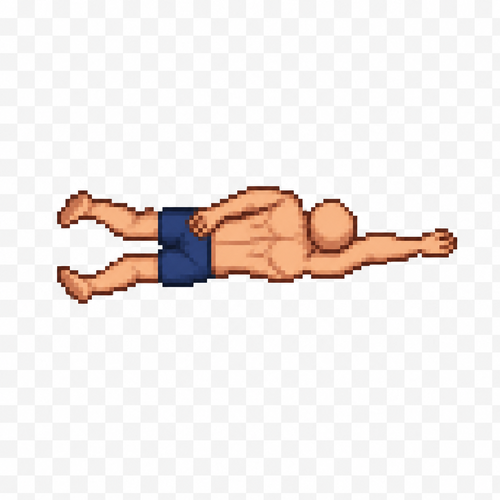
Create a single pixel art sprite of a human male character in the second frame of a swimming forward animation. Top-down view (seen from above). The character has no hair (bald), average athletic build, wearing only simple swim shorts. Sprite size: 64×64 pixels. Transparent background. Clean pixel art with a limited color palette. One arm is pulled back alongside the body while the other arm reaches forward, showing the middle phase of the swimming stroke. The legs are slightly bent in the opposite position from the first frame, suggesting forward propulsion. Keep the character centered within the 64×64 canvas. No water effects, no shadows, no text, no extra objects. Maintain the exact proportions, scale, and art style of Frame 1 so both sprites work together as a seamless animation.
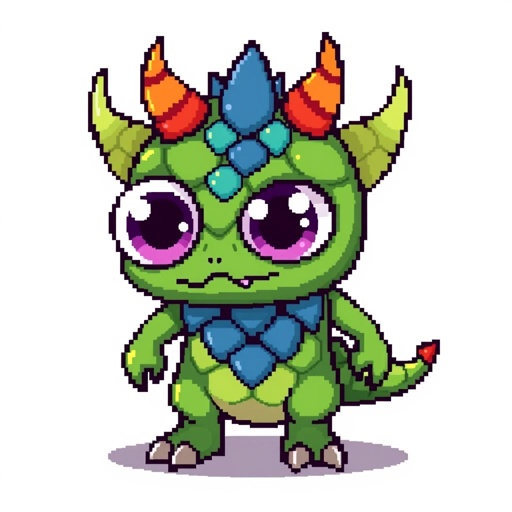
Pixel art fantasy monster sprite, white background
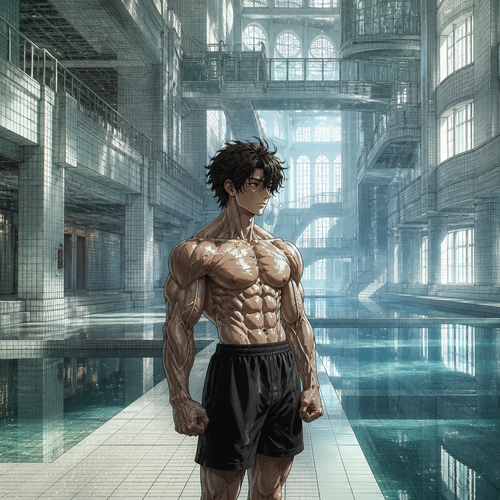
A vast, dreamlike architectural labyrinth existing outside of time. Endless white-tiled corridors merge into abandoned indoor pools, flooded libraries, empty subway platforms, forgotten hotel lobbies, impossible staircases, glass bridges suspended in fog, and quiet botanical domes. Every space transitions seamlessly into another with surreal geometry and non-Euclidean architecture. Soft white daylight pours through enormous frosted windows, yet no outside world is visible. Shallow, perfectly still water reflects the architecture like a mirror. Minimal color palette of white, pale cyan, muted gray, and faint amber. Dust particles drift slowly in the air. Absolute silence. No people, no animals, no text, no furniture out of place. Hyperrealistic, cinematic composition, volumetric lighting, ultra-fine architectural detail, atmospheric perspective, subtle analog film grain, uncanny familiarity, dreamlike liminality, impossible yet believable. In this surreal liminal environment stands a single anime-style muscular teenage boy bodybuilder. His abdominal muscles and arm muscles feature highly intricate anatomical definition. His muscles are fully tensed, with exaggerated muscle fibers and thick, bulging veins visible beneath the skin. Dramatic yet natural lighting, detailed anime character rendering contrasted against the photorealistic environment, masterpiece, ultra-high quality.
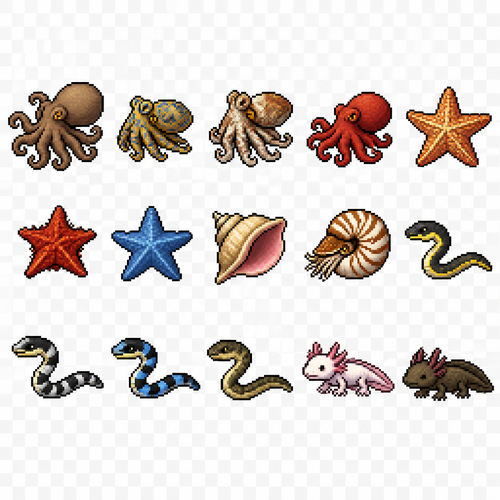
Create a 2D pixel art sprite sheet featuring 15 individual icons each exactly 32x32 pixels, arranged 5 horizontally and 3 vertically spaced evenly. Style: classic fantasy RPG, inspired by 16bit games, with crisp pixel art, clean outlines, subtle shading, and a cohesive color palette. Use a transparent background. Each Icon should be centered within its 45x45 canvas and remain highly readable at small sizes. The 15 icons are: 1: Giant Octopus 2: Blue Ringed Octopus 3: Reef Octopus 4: Red Octopus 5: Common Starfish 6: Blood Starfish 7: Blue Starfish 8: Conch 9: Nautilus 10: Yellow Bellied Sea Snake 11: Banded Sea Krait 12: Beaked Sea Snake 13: Belchers Sea Snake 14: Axolotl 15: Mud Puppy Requirements: • Each icon must be exactly 32x32 pixels. • All based off of real life variants. • All facing sideways so you see the side of their bodies. • Output as a sprite sheet with each icon occupying its own 32x32 cell. • Transparent background. • No text, labels, borders, or UI elements. • Consistent Fantasy RPG Aesthetic across all icons. • High contrast and excellent readability for use in a game interface. • Clean polished pixel art with enough detail for low resolution sprites. • Avoid anti-aliasing, blurring, or painterly effects; preserve a true pixel art appearance.
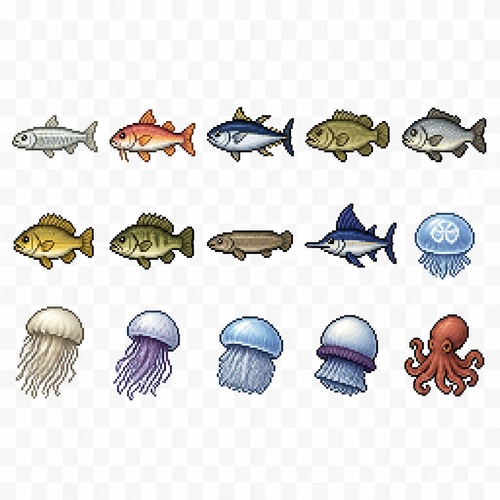
Create a 2D pixel art sprite sheet featuring 15 individual icons each exactly 32x32 pixels, arranged 5 horizontally and 3 vertically spaced evenly. Style: classic fantasy RPG, inspired by 16bit games, with crisp pixel art, clean outlines, subtle shading, and a cohesive color palette. Use a transparent background. Each Icon should be centered within its 45x45 canvas and remain highly readable at small sizes. The 15 icons are: 1: Bonefish 2: Goatfish 3: Skipjack Tuna 4: Murray Cod 5: Barramundi 6: Golden Perch 7: Australian Bass 8: Lungfish 9: Black Marlin 10: Moon Jellyfish 11: Lions Mane Jellyfish 12: Nomuras Jellyfish 13: Barrel Jellyfish 14: Cannonball Jellyfish 15: Common Octopus Requirements: • Each icon must be exactly 32x32 pixels. • All based off of real life variants. • All facing sideways so you see the side of their bodies. • Output as a sprite sheet with each icon occupying its own 32x32 cell. • Transparent background. • No text, labels, borders, or UI elements. • Consistent Fantasy RPG Aesthetic across all icons. • High contrast and excellent readability for use in a game interface. • Clean polished pixel art with enough detail for low resolution sprites. • Avoid anti-aliasing, blurring, or painterly effects; preserve a true pixel art appearance.
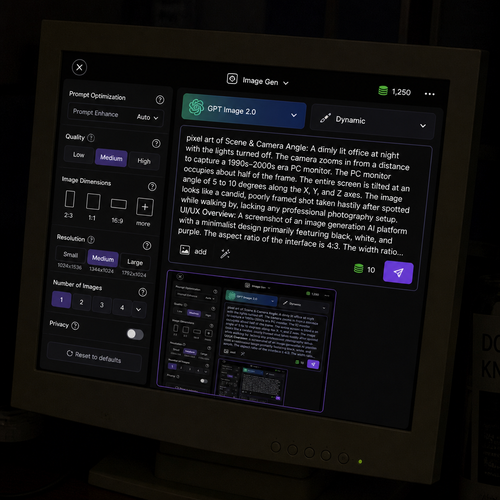
Scene & Camera Angle: A dimly lit office at night with the lights turned off. The camera zooms in from a distance to capture a 1990s–2000s era PC monitor. The PC monitor occupies about half of the frame. The entire screen is tilted at an angle of 5 to 10 degrees along the X, Y, and Z axes. The image looks like a candid, poorly framed shot taken hastily after spotted while walking by, lacking any professional photography setup. The screen displays the following content: UI/UX Overview: A screenshot of an image generation AI platform with a minimalist design primarily featuring black, white, and purple. The aspect ratio of the interface is 4:3. The width ratio between the settings panel (sidebar) and the image generation library (main content area) is 1:5. Top Navigation Bar: Top-Left: A close button represented by an "X" inside a circle, used to return home. Top-Center: A simple, square icon representing image generation, with the text "Image Gen ∨" next to it. Top-Right: An icon resembling stacked coins drawn in green, with the current credit balance displayed next to it. To the right of the credits, there is a white horizontal ellipsis (three dots). The background color of these top navigation icons is black. Left Panel (Settings - 25% Width): This section controls the detailed settings for image generation. Each setting group (Quality, Dimensions, etc.) is arranged horizontally, and each element enclosed in quotation marks represents a button, visually separated inside a dark gray rounded rectangle. A help icon (a question mark inside a circle) is placed to the right of each section heading. Prompt Optimization: At the top, there is a setting indicating whether to auto-convert the prompt. A small gray text reading "Prompt Enhance" is located at the top-right of the icon, with white text reading "Auto" at the bottom-right, followed to the right by a "∨" dropdown arrow on the far right. Quality: A section heading in small white text. Below it are three quality options arranged horizontally from left to right: "Low", "Medium", and "High". Image Dimensions: A section heading in small white text for aspect ratio settings. Below it, four text labels are listed horizontally from left to right: "2:3", "1:1", "16:9", and "more". Above each label, a white rectangular frame visually represents the corresponding aspect ratio. The visual representation for "more" (other ratios) features a square smaller than the 1:1 ratio, with a small "+" mark overlapping its bottom-right corner. Resolution: Below the aspect ratios, there are resolution settings with white text labels: "Small", "Medium", and "Large". Below each label, the detailed pixel dimensions (width and height) are written in small gray text. Number of Images: A heading in white text indicating the output count. Below it, there are tabs to select the number of images: "1", "2", "3", "4", followed to the white "∨" dropdown arrow to select higher numbers. Privacy: A privacy setting heading in white text. To its right sits a toggle switch with a light gray background and a white slider thumb. Reset Button: At the bottom, a "⟲ Reset to defaults" button in white text spans about half the width of the settings panel. Right Panel (Prompt & Library - 75% Width): This section consists of the prompt input field and the generated image library. Top Configuration Tabs (Left): A tab for the AI model selection shows "GPT Image 2.0". The background of this entire tab features a light blue gradient with a large, translucent graphic that looks like it is made of light-green glass, mimicking the GPT logo. Top Configuration Tabs (Right): A tab for the image theme selection features a thick brush icon on the far left, followed to the right by the text "Dynamic". Both tabs feature a "∨" dropdown arrow on their right edge. Prompt Input Field: Located below the tabs. The latter half of the prompt text overflows the text area and is truncated with an ellipsis ("..."). Bottom-Left of the field: An "add image" tab featuring an image icon next to the word "add", immediately followed to the right by a prompt refinement/polishing icon. Right edge of the field: The required credit cost for generation is displayed as a simple number next to a stacked-coin icon. Next to it is the send/generate icon, which features a white paper airplane on a purple background. Input Text: The text currently entered into this prompt field is exactly identical to this entire descriptive prompt text itself. Image Library: Below the input field. In the top-left corner of the library, a single generated image is displayed. This generated image is a recursive screenshot that is identical to the entire image generation interface itself.
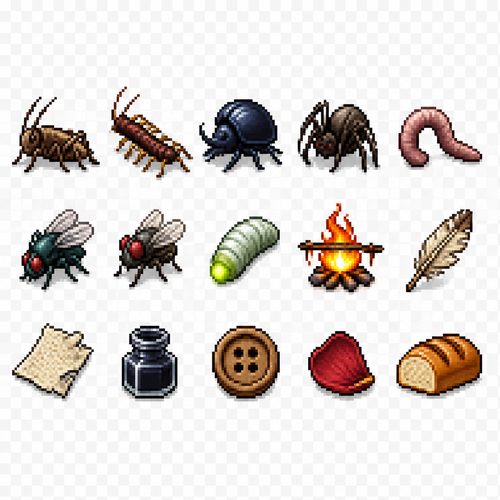
Create a 2D pixel art sprite sheet featuring 15 individual icons each exactly 32x32 pixels, arranged 5 horizontally and 3 vertically spaced evenly. Style: classic fantasy RPG, inspired by 16bit games, with crisp pixel art, clean outlines, subtle shading, and a cohesive color palette. Use a transparent background. Each Icon should be centered within its 32x32 canvas and remain highly readable at small sizes. The 15 icons are: 1: Cave Cricket 2: Cave Centipede 3: Cave Beetle 4: Cave Spider 5: Cave Worm 6: Cave Fly 7: Common Fly 8: Glow Worm 9: Fire with spit over it 10: Broken Quill 11: Discarded Scrap Paper 12: Empty Ink Bottle 13: Wooden Clothes Button 14: Dried Rose Petal - single petal 15: Fresh Bread - loaf of cooked bread Requirements: • Each icon must be exactly 32x32 pixels. • All based off of real life variants. • All facing sideways so you see the side of their bodies. • Output as a sprite sheet with each icon occupying its own 32x32 cell** DO NOT GO OUT PAST THESE PARAMETERs** • Transparent background. • No text, labels, borders, or UI elements. • Consistent Fantasy RPG Aesthetic across all icons. • High contrast and excellent readability for use in a game interface. • Clean polished pixel art with enough detail for low resolution sprites. • Avoid anti-aliasing, blurring, or painterly effects; preserve a true pixel art appearance.
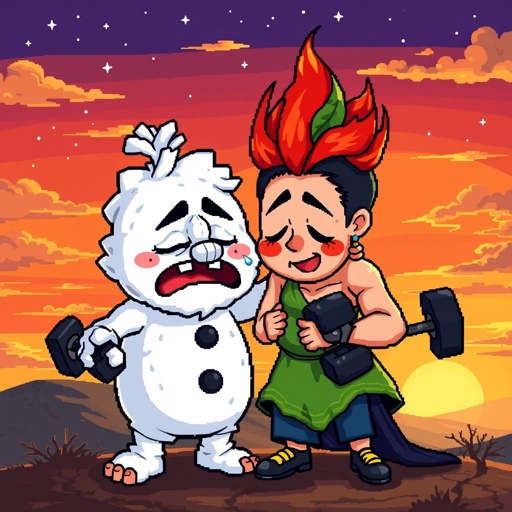
Snow Miser's Fitness Journey Summary: After a frustrating squat rack session, poor, exhausted, and in agony, Snow Miser was overwhelmed by the coach's loud outburst. He broke down, ranting in frustration about how he wanted to be good. When he finished, he ran off, bawling uncontrollably, in distress and soreness. Thankfully, Heat Miser comforted him, letting him cry out every pain on his shoulder. (He sat next to him, listened to his tragedy, and explained what he liked about him as Snow Miser listened with tears in his eyes. Afterwards, he started crying, and Heat offered a hug, which he accepted. Snow Miser burst into tears as he hugged Heat Miser tightly, creating a cute brotherly hug.) Mother Nature joined in too, providing comfort to her son. Later on, we hear a hard rock version of the Snow Miser theme as Snow Miser tackles every obstacle with blood, sweat, tears, and lots of straining, screaming, crying, and frustration. He had an ACL injury once, making surgery a requirement, along with physical therapy. Heat helped him throughout it all, and he could not rest in peace but pushed beyond his limits. Eventually, he gained a strong body, sobbing joyfully in front of the mirror as Heat Miser and Mother Nature hugged him with pride. The ending shows Snow, Heat, and Mother Nature sitting on top of a hill overlooking the sunset. Snowy gets emotional, telling the two about what had happened over the past 18 months of training. He decides to lay himself to rest, making him choked up as he hugs his two family members, crying out, "Thank you for believing in me!" They embraced him, thanking him for being brave and expressing their pride in him, as he was not muscular but was strong.
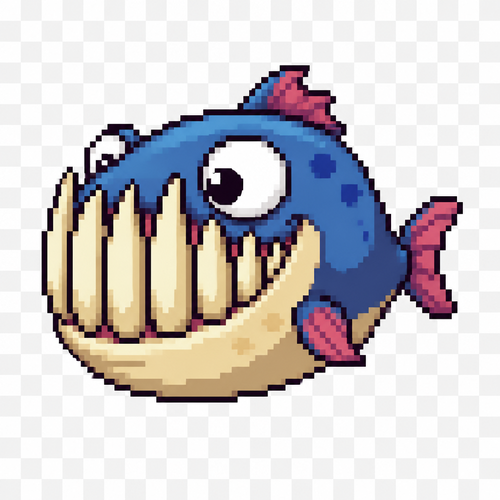
Cute predator fish monster, 2D pixel art game sprite, side view, 64x64 tile, transparent background. Small compact body with a tiny tail fin, but an oversized head occupying about 70% of the body length. Huge mouth with exaggerated teeth. The lower fangs are much longer than the upper teeth, extending upward and covering almost the entire height of the head when the mouth is closed. Despite the massive teeth, the fish should look goofy, funny and cartoonish rather than scary. Large expressive eyes, mischievous grin, slightly derpy expression. Short dorsal fin, small pectoral fins, chunky silhouette, simple readable shapes suitable for pixel art. Bright saturated colors with a darker back and lighter belly. High contrast, clean outlines, limited color palette, crisp pixel clusters, no anti-aliasing, no blur. Game-ready enemy mob sprite, idle pose, side profile, centered in frame, 64x64 pixel sprite, retro fantasy style.
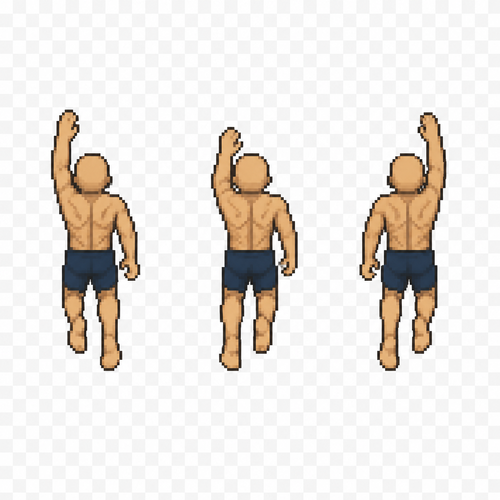
Create 3 separate pixel art sprites for a top-down 2D game swimming animation. Human male base character, bald (no hair), average athletic build. Canvas size: 64×64 pixels for each sprite. Transparent background. Top-down view only. The character is facing north (up) and swimming forward (toward the top of the screen). Generate Frame 1, Frame 2, and Frame 3 of a seamless swimming cycle. Keep the body, head, proportions, position, and scale identical in all three frames. Only the arms and legs should move between frames to simulate forward swimming. Arms move in alternating front crawl positions while the legs perform a subtle flutter kick. Clean pixel art, limited color palette, centered character, no water effects, no splashes, no shadows, no background, no text, no extra objects. Strict top-down view. Do not rotate the character or the camera. Output three separate sprites, each 64×64 pixels, not a sprite sheet. Game sprite animation reference. Similar to classic top-down RPG character animation. Preserve identical body proportions across all frames. Only limb positions change.
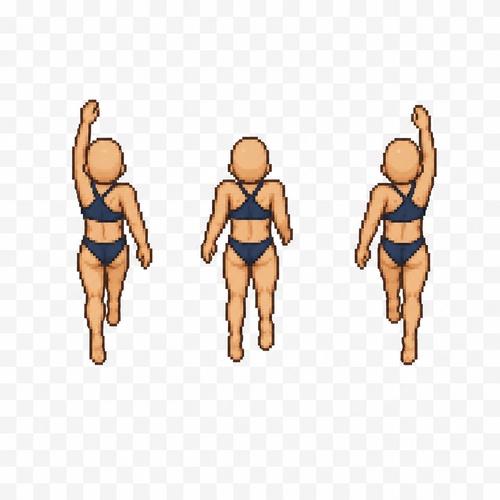
Create 3 separate pixel art sprites for a top-down 2D game swimming animation. Human female base character, bald (no hair), average athletic build. Canvas size: 64×64 pixels for each sprite. Transparent background. Top-down view only. The character is facing north (up) and swimming forward (toward the top of the screen). Generate Frame 1, Frame 2, and Frame 3 of a seamless swimming cycle. Keep the body, head, proportions, position, and scale identical in all three frames. Only the arms and legs should move between frames to simulate forward swimming. Arms move in alternating front crawl positions while the legs perform a subtle flutter kick. Clean pixel art, limited color palette, centered character, no water effects, no splashes, no shadows, no background, no text, no extra objects. Strict top-down view. Do not rotate the character or the camera. Output three separate sprites, each 64×64 pixels, not a sprite sheet. Game sprite animation reference. Similar to classic top-down RPG character animation. Preserve identical body proportions across all frames. Only limb positions change.
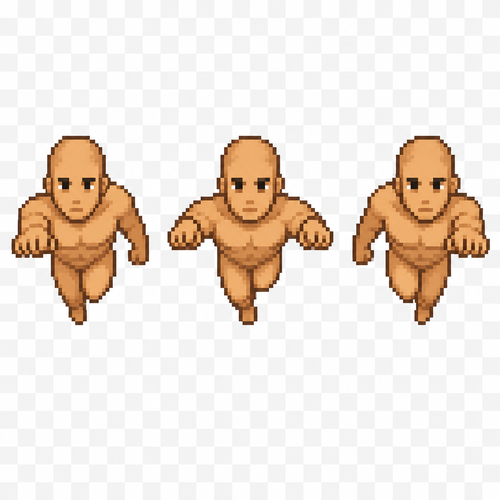
Create a pixel art sprite sheet of a base male human character swimming forward. Generate 3 animation frames that simulate a forward swimming cycle. The character is bald (no hair), viewed from the front. Sprite size: 64×96 pixels per frame. Arrange the three frames horizontally in a single sprite sheet. Transparent background. Clean pixel art with no anti-aliasing, limited color palette, consistent proportions across all frames. No clothing, armor, or accessories. Neutral facial expression. The animation should show a natural swimming motion with alternating arm and upper body movement while maintaining the same character position. The sprite is intended for a 2D game.
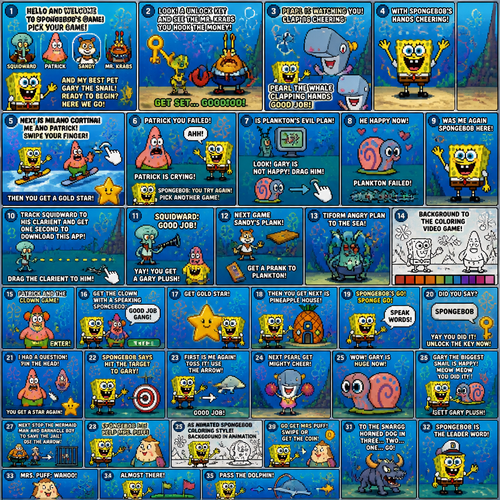
of the si generated on a video game spongebob squarepants to say hello and welcome to spongebob's game pick your game squidward or patrick sandy mr krabs and my best pet gary the snail ready to begin here we go look. a unlock key and see the nr krabs you hook. the money get set gooooo. peral is watching you. peral the whale clapping hands good job. with spongebob's hands cheering. next is milano cortina. me and patrick. swipe your finger then you get a gold star. an cartoon with pink cheeks. patrick you failed patrick is crying forvyou say ahh spongebob : you try again pick another game. is plankton's evil plan. look gary is not happy drag him. he happy now. plankton failedwas me again spongebob here. track squidward to his clarient and get one second to. download this app. spongebob drag the. clarient to him squidward: good job. yay you get a gary plush. spongebob next game sandy's plank. get a prank to plankton. tiform angry plan to. the. sea background to. the coloring video game patrick and the clown game. enter. get the clown with a speaking spongebob: good job gang. get gokl. star then you get next is pineapple house. with dpongebob'a go. sponge go speak words did you say spongebob: yay you did it unlock the key now i. had a question pin the head. you get a. star again. spongebob says hit the target. to gary. first is me again. toss it. use the arrow good job next peral get mighty cheer. wow gary is. huge now meow meow. gary the. biggesr snail is happy meow meow you did it. get gary plush spongebob gets gary next stop the mermaid man and barncale boy to save the jail use the arrow. spongebob me help mrs puff as a animate d spongebob coloring style. background in animation go get nrs puff mrs puff swipe or. get the coin to the snargg horned dog in three two one go. spongebob is the leader word mrs puff: wahoo. almost there pass. the dolphin.
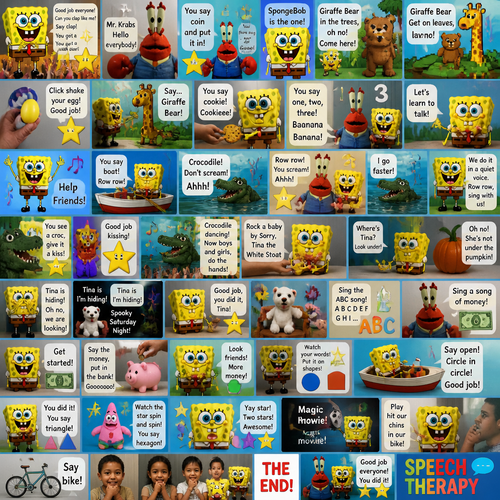
of the ai generated of a speech therapy. on the photovreal youtube of the spongebob. speech therapy to say mama mama. speech with the word. spongebob: good job everyone clapping. can youclap like me. say clap. you get a gold star nick jr's animated. baby sensory puppet mr krabs. mr krabs name mr krabs: hello everybody you say coin and put it in yes. and say go say gooooo. spongebob is the one. next theytalk about with giraffe bear circle time. song giraffe bear in the trees. oh no spongebob: come here photo real live action they. sang a song in. pixel without mr krabs saying. giraffe bear. get on a leaves leaves baby song. baby got egg shaker. on believe spomgebob: click shake your egg. good job. with google nano banana. photo real with puppet in hand. say. giraffe bear with strings. to say shake egg you did it golden star picture spongebob: you say cookie. cookieee. hands passed the cookie. pixel animated an puppet mr krabs. in strings say you say one two three. baanana banana. with the picture. say. bNanama. with learn to. talk spongebob version. spongebob dancing short video to song lyrics called help friends and. youtube animated with the rowing boat spomgebob. . you gp say boat. row row. lyrics crocodile. don't scream. ahh yay you did it now kid perform. hands mr krabs strings spongebob and mr krabs puppet: row row. you scream ahhh. ahh picture of an croc i. go faster. spongebob: i'm ready we do. in a quiet voice. say. row row sing with us. croc might come out. an baby talking row row. yourboat. you see a croc giveit a kiss spongebob/ kiss kissing hishand by his puppet friend. good job kissing. am. picture of the kissing croc. star smling. with dancing. crocodile dancing now boys and girls do the hands an photo real nano. spongebob toy mascot spongebob: rock a baby by sorry tina the white stoat nex t where's tina. at spongebob: look under. flannel borad to see hiding. tina tina. are you hiding. look under hand spongebob: oh no it is not. under the pumpkin tina. is. hiding oh no. we are looking. spooky letters spongebob hides hand photo real video saturday. night. to anlong flim tina is im hiding spongebob : good jobbyou did it. tina. is stoat puppet: i was hiding. picture of flowers. he sits on chair tina: sing the abc song a b c d e f g h l with letters money. song with finger ouppet. mr jrabs with atringd no feet. sesame street. kr krabs: sing a song of money picture of money. get a started bill spongebob. say the money coin hands put in the bank. say goooooooooo. spongebob holds a toy : look friends to other money by. watch your words hand puttibg on shapes picture. in animated form. spongebob: you did it. in the boat fisher price. spongebob:say open. to see in box. boat shapes with circle put. circle in sai in good job you did student. speech therapy. spongebob: you did it. you. say traingle with the words. patrick star tries puppet no talking strings sesame street . and watch the star spin and spin you say. hextagon next shape the last shape spongebob:yay star. two stars awsome. and magic movie. cartoonic animated photo real remake seaame strert. spongebonand i playef hit our chins in our bike picture. and i say. say bike
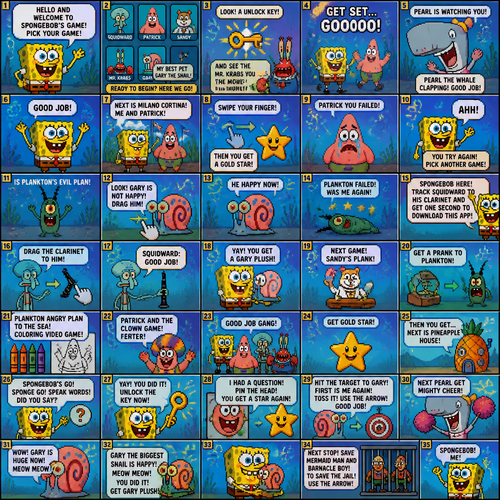
of the si generated on a video game spongebob squarepants to say hello and welcome to spongebob's game pick your game squidward or patrick sandy mr krabs and my best pet gary the snail ready to begin here we go look. a unlock key and see the nr krabs you hook. the money get set gooooo. peral is watching you. peral the whale clapping hands good job. with spongebob's hands cheering. next is milano cortina. me and patrick. swipe your finger then you get a gold star. an cartoon with pink cheeks. patrick you failed patrick is crying forvyou say ahh spongebob : you try again pick another game. is plankton's evil plan. look gary is not happy drag him. he happy now. plankton failedwas me again spongebob here. track squidward to his clarient and get one second to. download this app. spongebob drag the. clarient to him squidward: good job. yay you get a gary plush. spongebob next game sandy's plank. get a prank to plankton. tiform angry plan to. the. sea background to. the coloring video game patrick and the clown game. enter. get the clown with a speaking spongebob: good job gang. get gokl. star then you get next is pineapple house. with dpongebob'a go. sponge go speak words did you say spongebob: yay you did it unlock the key now i. had a question pin the head. you get a. star again. spongebob says hit the target. to gary. first is me again. toss it. use the arrow good job next peral get mighty cheer. wow gary is. huge now meow meow. gary the. biggesr snail is happy meow meow you did it. get gary plush spongebob gets gary next stop the mermaid man and barncale boy to save the jail use the arrow. spongebob me