More from the community

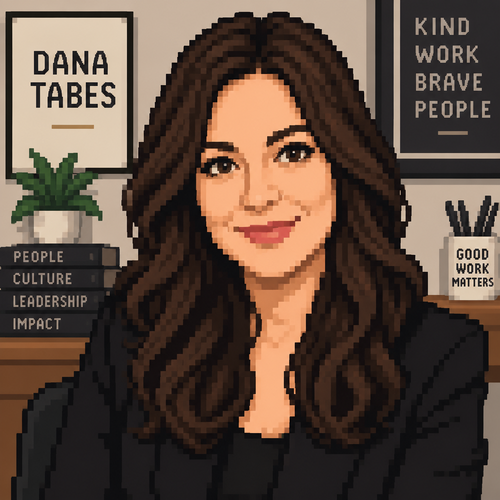
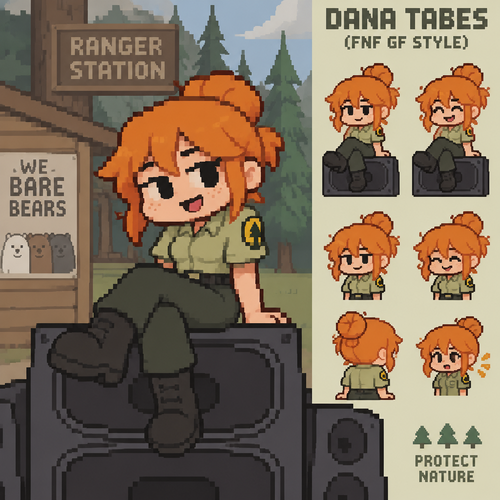
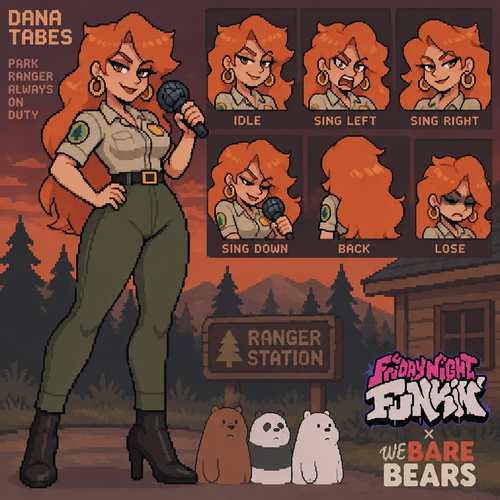
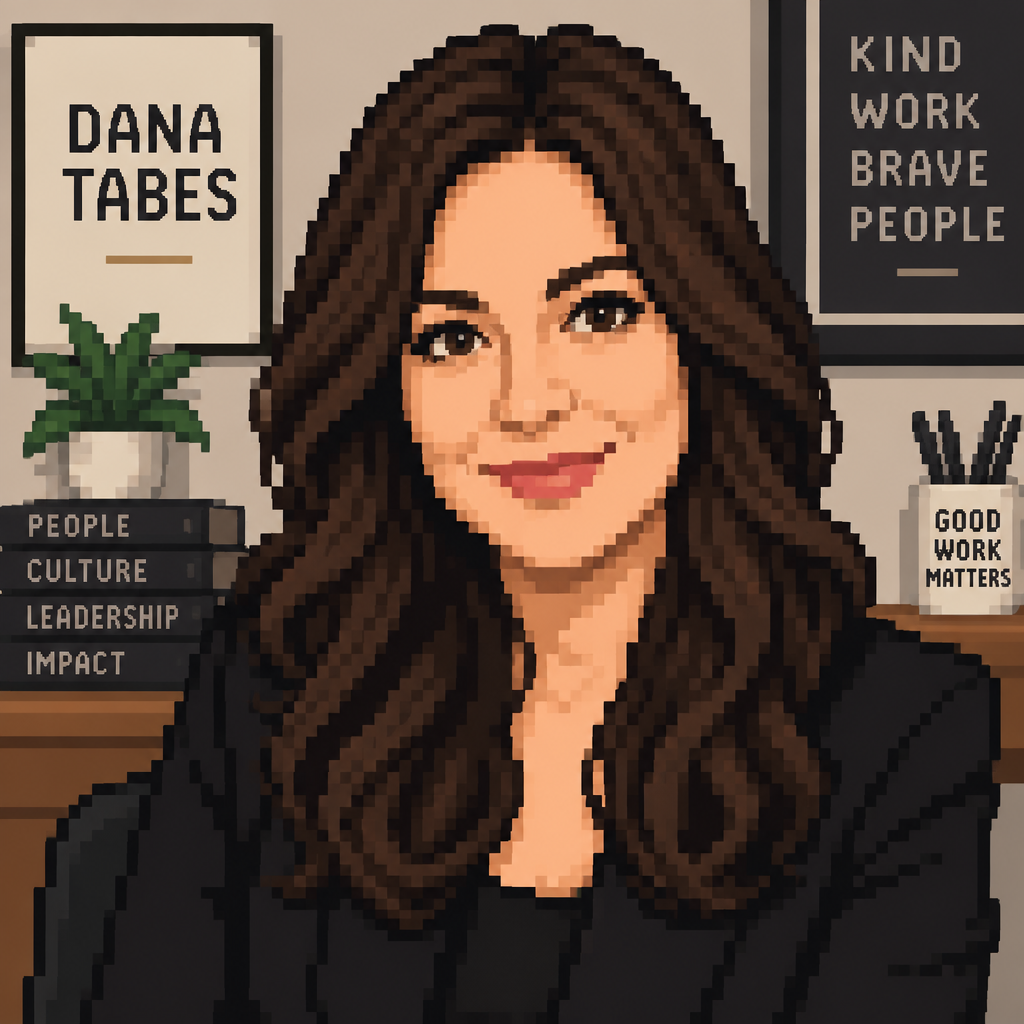
Dana Tabes

Dana Tabes

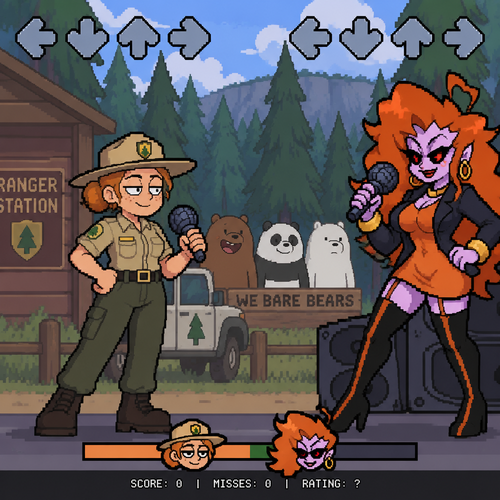
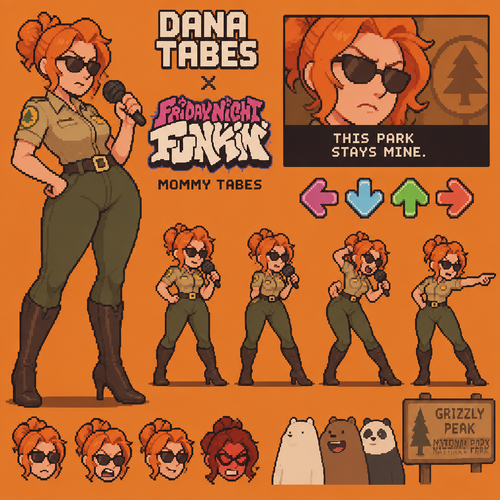
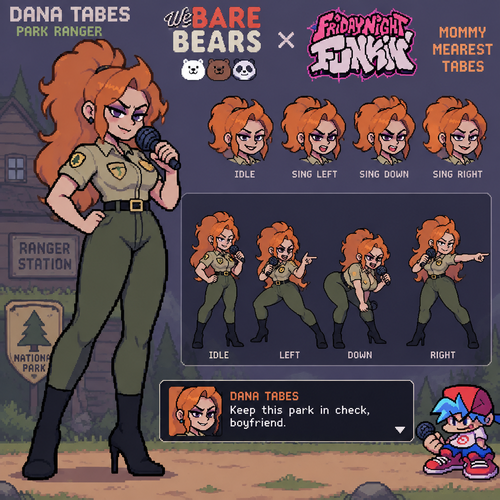
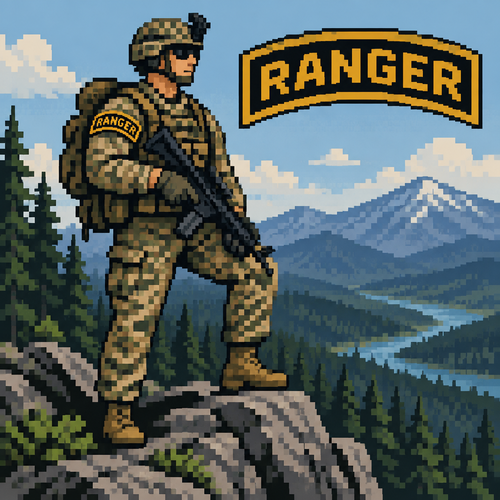
Ranger Tabes

Ranger Tabes

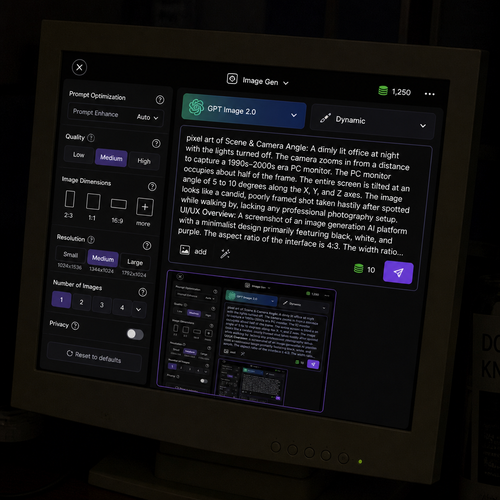
Scene & Camera Angle:
A dimly lit office at night with the lights turned off. The camera zooms in from a distance to capture a 1990s–2000s era PC monitor. The PC monitor occupies about half of the frame. The entire screen is tilted at an angle of 5 to 10 degrees along the X, Y, and Z axes. The image looks like a candid, poorly framed shot taken hastily after spotted while walking by, lacking any professional photography setup.
The screen displays the following content:
UI/UX Overview:
A screenshot of an image generation AI platform with a minimalist design primarily featuring black, white, and purple. The aspect ratio of the interface is 4:3. The width ratio between the settings panel (sidebar) and the image generation library (main content area) is 1:5.
Top Navigation Bar:
Top-Left: A close button represented by an "X" inside a circle, used to return home.
Top-Center: A simple, square icon representing image generation, with the text "Image Gen ∨" next to it.
Top-Right: An icon resembling stacked coins drawn in green, with the current credit balance displayed next to it. To the right of the credits, there is a white horizontal ellipsis (three dots). The background color of these top navigation icons is black.
Left Panel (Settings - 25% Width):
This section controls the detailed settings for image generation. Each setting group (Quality, Dimensions, etc.) is arranged horizontally, and each element enclosed in quotation marks represents a button, visually separated inside a dark gray rounded rectangle. A help icon (a question mark inside a circle) is placed to the right of each section heading.
Prompt Optimization: At the top, there is a setting indicating whether to auto-convert the prompt. A small gray text reading "Prompt Enhance" is located at the top-right of the icon, with white text reading "Auto" at the bottom-right, followed to the right by a "∨" dropdown arrow on the far right.
Quality: A section heading in small white text. Below it are three quality options arranged horizontally from left to right: "Low", "Medium", and "High".
Image Dimensions: A section heading in small white text for aspect ratio settings. Below it, four text labels are listed horizontally from left to right: "2:3", "1:1", "16:9", and "more". Above each label, a white rectangular frame visually represents the corresponding aspect ratio. The visual representation for "more" (other ratios) features a square smaller than the 1:1 ratio, with a small "+" mark overlapping its bottom-right corner.
Resolution: Below the aspect ratios, there are resolution settings with white text labels: "Small", "Medium", and "Large". Below each label, the detailed pixel dimensions (width and height) are written in small gray text.
Number of Images: A heading in white text indicating the output count. Below it, there are tabs to select the number of images: "1", "2", "3", "4", followed to the white "∨" dropdown arrow to select higher numbers.
Privacy: A privacy setting heading in white text. To its right sits a toggle switch with a light gray background and a white slider thumb.
Reset Button: At the bottom, a "⟲ Reset to defaults" button in white text spans about half the width of the settings panel.
Right Panel (Prompt & Library - 75% Width):
This section consists of the prompt input field and the generated image library.
Top Configuration Tabs (Left): A tab for the AI model selection shows "GPT Image 2.0". The background of this entire tab features a light blue gradient with a large, translucent graphic that looks like it is made of light-green glass, mimicking the GPT logo.
Top Configuration Tabs (Right): A tab for the image theme selection features a thick brush icon on the far left, followed to the right by the text "Dynamic". Both tabs feature a "∨" dropdown arrow on their right edge.
Prompt Input Field: Located below the tabs. The latter half of the prompt text overflows the text area and is truncated with an ellipsis ("...").
Bottom-Left of the field: An "add image" tab featuring an image icon next to the word "add", immediately followed to the right by a prompt refinement/polishing icon.
Right edge of the field: The required credit cost for generation is displayed as a simple number next to a stacked-coin icon. Next to it is the send/generate icon, which features a white paper airplane on a purple background.
Input Text: The text currently entered into this prompt field is exactly identical to this entire descriptive prompt text itself.
Image Library: Below the input field. In the top-left corner of the library, a single generated image is displayed. This generated image is a recursive screenshot that is identical to the entire image generation interface itself.
Scene & Camera Angle: A dimly lit office at night with the lights turned off. The camera zooms in from a distance to capture a 1990s–2000s era PC monitor. The PC monitor occupies about half of the frame. The entire screen is tilted at an angle of 5 to 10 degrees along the X, Y, and Z axes. The image looks like a candid, poorly framed shot taken hastily after spotted while walking by, lacking any professional photography setup. The screen displays the following content: UI/UX Overview: A screenshot of an image generation AI platform with a minimalist design primarily featuring black, white, and purple. The aspect ratio of the interface is 4:3. The width ratio between the settings panel (sidebar) and the image generation library (main content area) is 1:5. Top Navigation Bar: Top-Left: A close button represented by an "X" inside a circle, used to return home. Top-Center: A simple, square icon representing image generation, with the text "Image Gen ∨" next to it. Top-Right: An icon resembling stacked coins drawn in green, with the current credit balance displayed next to it. To the right of the credits, there is a white horizontal ellipsis (three dots). The background color of these top navigation icons is black. Left Panel (Settings - 25% Width): This section controls the detailed settings for image generation. Each setting group (Quality, Dimensions, etc.) is arranged horizontally, and each element enclosed in quotation marks represents a button, visually separated inside a dark gray rounded rectangle. A help icon (a question mark inside a circle) is placed to the right of each section heading. Prompt Optimization: At the top, there is a setting indicating whether to auto-convert the prompt. A small gray text reading "Prompt Enhance" is located at the top-right of the icon, with white text reading "Auto" at the bottom-right, followed to the right by a "∨" dropdown arrow on the far right. Quality: A section heading in small white text. Below it are three quality options arranged horizontally from left to right: "Low", "Medium", and "High". Image Dimensions: A section heading in small white text for aspect ratio settings. Below it, four text labels are listed horizontally from left to right: "2:3", "1:1", "16:9", and "more". Above each label, a white rectangular frame visually represents the corresponding aspect ratio. The visual representation for "more" (other ratios) features a square smaller than the 1:1 ratio, with a small "+" mark overlapping its bottom-right corner. Resolution: Below the aspect ratios, there are resolution settings with white text labels: "Small", "Medium", and "Large". Below each label, the detailed pixel dimensions (width and height) are written in small gray text. Number of Images: A heading in white text indicating the output count. Below it, there are tabs to select the number of images: "1", "2", "3", "4", followed to the white "∨" dropdown arrow to select higher numbers. Privacy: A privacy setting heading in white text. To its right sits a toggle switch with a light gray background and a white slider thumb. Reset Button: At the bottom, a "⟲ Reset to defaults" button in white text spans about half the width of the settings panel. Right Panel (Prompt & Library - 75% Width): This section consists of the prompt input field and the generated image library. Top Configuration Tabs (Left): A tab for the AI model selection shows "GPT Image 2.0". The background of this entire tab features a light blue gradient with a large, translucent graphic that looks like it is made of light-green glass, mimicking the GPT logo. Top Configuration Tabs (Right): A tab for the image theme selection features a thick brush icon on the far left, followed to the right by the text "Dynamic". Both tabs feature a "∨" dropdown arrow on their right edge. Prompt Input Field: Located below the tabs. The latter half of the prompt text overflows the text area and is truncated with an ellipsis ("..."). Bottom-Left of the field: An "add image" tab featuring an image icon next to the word "add", immediately followed to the right by a prompt refinement/polishing icon. Right edge of the field: The required credit cost for generation is displayed as a simple number next to a stacked-coin icon. Next to it is the send/generate icon, which features a white paper airplane on a purple background. Input Text: The text currently entered into this prompt field is exactly identical to this entire descriptive prompt text itself. Image Library: Below the input field. In the top-left corner of the library, a single generated image is displayed. This generated image is a recursive screenshot that is identical to the entire image generation interface itself.

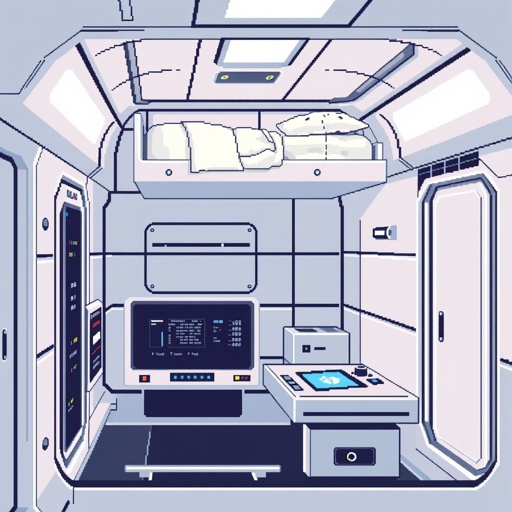
Interior of a sci-fi room. The roof has a bed, a terminal. The terminal has a touch screen and a hole that is a data socket that can accept a data card. Minimalist, clean. Use a mostly white and sterile color palette, pixelated, retro, 16-bit, blocky, vintage.

Interior of a sci-fi room. The roof has a bed, a terminal. The terminal has a touch screen and a hole that is a data socket that can accept a data card. Minimalist, clean. Use a mostly white and sterile color palette, pixelated, retro, 16-bit, blocky, vintage.

Demon, full body, facing, white background

Demon, full body, facing, white background

Create a 2D pixel art sprite sheet featuring 15 individual icons each exactly 32x32  pixels, arranged 5 horizontally and 3 vertically spaced evenly. Style: classic fantasy RPG, inspired by 16bit games, with crisp pixel art, clean outlines, subtle shading, and a cohesive color palette. Use a transparent background. Each Icon  should be centered within its 32x32 canvas and remain highly readable at small sizes. 


The 15 icons are:


1: Long Legged Spider
2: Red Eye Spider
3: Tri Fanged Spider
4: Iridescent Spider
5: Sapphire Spider 
6: Desert Spider 
7: Wandering Spider 
8: Fire Blazed Spider
9: Poseidons Orb Weaver
10: Orange Skulled Spider 
11: Blue Spotted Orb Weaver 
12: Red Splotch Orb Weaver
13: Knighted Orb Weaver
14: Pink Widow Spider
15: Peppered Spider

Requirements: 
	•	Each icon must be exactly 32x32 pixels.
  • All based off of real life variants.
   • All facing sideways so you see the side of their bodies.
	•	Output as a sprite sheet with each icon occupying its own 32x32 cell** DO NOT GO OUT PAST THESE PARAMETERs**
	•	Transparent background.
	•	No text, labels, borders, or UI elements.
	•	Consistent Fantasy RPG Aesthetic across all icons.
	•	High contrast and excellent readability for use in a game interface.
	•	Clean polished pixel art with enough detail for low resolution sprites.
	•	Avoid anti-aliasing, blurring, or painterly effects; preserve a true pixel art appearance.

Create a 2D pixel art sprite sheet featuring 15 individual icons each exactly 32x32  pixels, arranged 5 horizontally and 3 vertically spaced evenly. Style: classic fantasy RPG, inspired by 16bit games, with crisp pixel art, clean outlines, subtle shading, and a cohesive color palette. Use a transparent background. Each Icon  should be centered within its 32x32 canvas and remain highly readable at small sizes.  The 15 icons are: 1: Long Legged Spider 2: Red Eye Spider 3: Tri Fanged Spider 4: Iridescent Spider 5: Sapphire Spider 6: Desert Spider 7: Wandering Spider 8: Fire Blazed Spider 9: Poseidons Orb Weaver 10: Orange Skulled Spider 11: Blue Spotted Orb Weaver 12: Red Splotch Orb Weaver 13: Knighted Orb Weaver 14: Pink Widow Spider 15: Peppered Spider Requirements:  • Each icon must be exactly 32x32 pixels.   • All based off of real life variants.    • All facing sideways so you see the side of their bodies. • Output as a sprite sheet with each icon occupying its own 32x32 cell** DO NOT GO OUT PAST THESE PARAMETERs** • Transparent background. • No text, labels, borders, or UI elements. • Consistent Fantasy RPG Aesthetic across all icons. • High contrast and excellent readability for use in a game interface. • Clean polished pixel art with enough detail for low resolution sprites. • Avoid anti-aliasing, blurring, or painterly effects; preserve a true pixel art appearance.

Interior of a sci-fi room. The room has a bed, a terminal. The terminal has a touch screen and a hole that is a data socket that can accept a data card. Minimalist, clean. Use a mostly white and sterile color palette, pixelated, retro, 16-bit, blocky, vintage.

Interior of a sci-fi room. The room has a bed, a terminal. The terminal has a touch screen and a hole that is a data socket that can accept a data card. Minimalist, clean. Use a mostly white and sterile color palette, pixelated, retro, 16-bit, blocky, vintage.

Tạo một bản đồ game 2D side-scrolling adventure combat dạng pixel art cao cấp, thiết kế như một level game thương mại.

Kích thước tổng thể khoảng 800×800, bản đồ rộng và có nhiều khu vực liên kết với nhau. Góc nhìn side-view ngang, nhân vật sẽ di chuyển chủ yếu từ trái sang phải.

Bố cục level:

1. Khu vực bắt đầu: một vùng đất xanh, rừng nhỏ, đường mòn và vài vách đá.
2. Khu rừng: nhiều cây, bụi cỏ, đá, nền đất nhiều tầng, có các platform để nhảy.
3. Khu vực ĐẢO BAY: một hoặc nhiều hòn đảo nổi trên bầu trời, có mây bao quanh, thác nước chảy xuống từ đảo, cầu hoặc platform nối giữa các đảo.
4. Lối xuống hang động: một hang lớn nằm trong vách núi.
5. HANG ĐỘNG: không gian tối, đá nhọn, tinh thể phát sáng, vực sâu, nhiều platform và đường đi bí mật.
6. Khu vực cuối: một vùng đất cổ đại với kiến trúc đổ nát, tạo cảm giác nguy hiểm và chuẩn bị cho boss.
7. Boss arena: một khu vực rộng, phẳng, dễ chiến đấu, có không gian cho boss di chuyển.

Thiết kế gameplay:

* Có đường đi chính rõ ràng từ trái sang phải.
* Có đường đi phụ và khu vực bí mật.
* Có platform ở nhiều độ cao.
* Có vực sâu và chướng ngại vật.
* Có các khu vực phù hợp để đặt quái.
* Các khu vực phải có landmark rõ ràng để người chơi không bị lạc.
* Chuyển cảnh giữa các biome tự nhiên, không bị ghép ngẫu nhiên.
* Bố cục phải có cảm giác được con người thiết kế, không phải map procedural ngẫu nhiên.

Phong cách:

* Pixel art game 2D chất lượng cao.
* Pixel rõ, sắc nét, không blur.
* Chi tiết môi trường phong phú.
* Màu sắc đẹp, có chiều sâu.
* Lighting và shadow đẹp.
* Silhouette rõ ràng.
* Phong cách fantasy adventure.
* Đồng nhất giữa tất cả khu vực.

Không tạo:

* chữ
* UI
* menu
* logo
* watermark
* nhân vật
* quái vật
* icon
* khung ảnh

Chỉ tập trung vào ENVIRONMENT và LEVEL MAP.
Hãy tạo hình ảnh sao cho có thể dùng làm concept để sau đó dựng thành map game thật.

Tạo một bản đồ game 2D side-scrolling adventure combat dạng pixel art cao cấp, thiết kế như một level game thương mại. Kích thước tổng thể khoảng 800×800, bản đồ rộng và có nhiều khu vực liên kết với nhau. Góc nhìn side-view ngang, nhân vật sẽ di chuyển chủ yếu từ trái sang phải. Bố cục level: 1. Khu vực bắt đầu: một vùng đất xanh, rừng nhỏ, đường mòn và vài vách đá. 2. Khu rừng: nhiều cây, bụi cỏ, đá, nền đất nhiều tầng, có các platform để nhảy. 3. Khu vực ĐẢO BAY: một hoặc nhiều hòn đảo nổi trên bầu trời, có mây bao quanh, thác nước chảy xuống từ đảo, cầu hoặc platform nối giữa các đảo. 4. Lối xuống hang động: một hang lớn nằm trong vách núi. 5. HANG ĐỘNG: không gian tối, đá nhọn, tinh thể phát sáng, vực sâu, nhiều platform và đường đi bí mật. 6. Khu vực cuối: một vùng đất cổ đại với kiến trúc đổ nát, tạo cảm giác nguy hiểm và chuẩn bị cho boss. 7. Boss arena: một khu vực rộng, phẳng, dễ chiến đấu, có không gian cho boss di chuyển. Thiết kế gameplay: * Có đường đi chính rõ ràng từ trái sang phải. * Có đường đi phụ và khu vực bí mật. * Có platform ở nhiều độ cao. * Có vực sâu và chướng ngại vật. * Có các khu vực phù hợp để đặt quái. * Các khu vực phải có landmark rõ ràng để người chơi không bị lạc. * Chuyển cảnh giữa các biome tự nhiên, không bị ghép ngẫu nhiên. * Bố cục phải có cảm giác được con người thiết kế, không phải map procedural ngẫu nhiên. Phong cách: * Pixel art game 2D chất lượng cao. * Pixel rõ, sắc nét, không blur. * Chi tiết môi trường phong phú. * Màu sắc đẹp, có chiều sâu. * Lighting và shadow đẹp. * Silhouette rõ ràng. * Phong cách fantasy adventure. * Đồng nhất giữa tất cả khu vực. Không tạo: * chữ * UI * menu * logo * watermark * nhân vật * quái vật * icon * khung ảnh Chỉ tập trung vào ENVIRONMENT và LEVEL MAP. Hãy tạo hình ảnh sao cho có thể dùng làm concept để sau đó dựng thành map game thật.

Tạo một bản đồ game 2D side-scrolling adventure combat dạng pixel art cao cấp, thiết kế như một level game thương mại.

Kích thước tổng thể khoảng 800×800, bản đồ rộng và có nhiều khu vực liên kết với nhau. Góc nhìn side-view ngang, nhân vật sẽ di chuyển chủ yếu từ trái sang phải.

Bố cục level:

1. Khu vực bắt đầu: một vùng đất xanh, rừng nhỏ, đường mòn và vài vách đá.
2. Khu rừng: nhiều cây, bụi cỏ, đá, nền đất nhiều tầng, có các platform để nhảy.
3. Khu vực ĐẢO BAY: một hoặc nhiều hòn đảo nổi trên bầu trời, có mây bao quanh, thác nước chảy xuống từ đảo, cầu hoặc platform nối giữa các đảo.
4. Lối xuống hang động: một hang lớn nằm trong vách núi.
5. HANG ĐỘNG: không gian tối, đá nhọn, tinh thể phát sáng, vực sâu, nhiều platform và đường đi bí mật.
6. Khu vực cuối: một vùng đất cổ đại với kiến trúc đổ nát, tạo cảm giác nguy hiểm và chuẩn bị cho boss.
7. Boss arena: một khu vực rộng, phẳng, dễ chiến đấu, có không gian cho boss di chuyển.

Thiết kế gameplay:

* Có đường đi chính rõ ràng từ trái sang phải.
* Có đường đi phụ và khu vực bí mật.
* Có platform ở nhiều độ cao.
* Có vực sâu và chướng ngại vật.
* Có các khu vực phù hợp để đặt quái.
* Các khu vực phải có landmark rõ ràng để người chơi không bị lạc.
* Chuyển cảnh giữa các biome tự nhiên, không bị ghép ngẫu nhiên.
* Bố cục phải có cảm giác được con người thiết kế, không phải map procedural ngẫu nhiên.

Phong cách:

* Pixel art game 2D chất lượng cao.
* Pixel rõ, sắc nét, không blur.
* Chi tiết môi trường phong phú.
* Màu sắc đẹp, có chiều sâu.
* Lighting và shadow đẹp.
* Silhouette rõ ràng.
* Phong cách fantasy adventure.
* Đồng nhất giữa tất cả khu vực.

Không tạo:

* chữ
* UI
* menu
* logo
* watermark
* nhân vật
* quái vật
* icon
* khung ảnh

Chỉ tập trung vào ENVIRONMENT và LEVEL MAP.
Hãy tạo hình ảnh sao cho có thể dùng làm concept để sau đó dựng thành map game thật.

Tạo một bản đồ game 2D side-scrolling adventure combat dạng pixel art cao cấp, thiết kế như một level game thương mại. Kích thước tổng thể khoảng 800×800, bản đồ rộng và có nhiều khu vực liên kết với nhau. Góc nhìn side-view ngang, nhân vật sẽ di chuyển chủ yếu từ trái sang phải. Bố cục level: 1. Khu vực bắt đầu: một vùng đất xanh, rừng nhỏ, đường mòn và vài vách đá. 2. Khu rừng: nhiều cây, bụi cỏ, đá, nền đất nhiều tầng, có các platform để nhảy. 3. Khu vực ĐẢO BAY: một hoặc nhiều hòn đảo nổi trên bầu trời, có mây bao quanh, thác nước chảy xuống từ đảo, cầu hoặc platform nối giữa các đảo. 4. Lối xuống hang động: một hang lớn nằm trong vách núi. 5. HANG ĐỘNG: không gian tối, đá nhọn, tinh thể phát sáng, vực sâu, nhiều platform và đường đi bí mật. 6. Khu vực cuối: một vùng đất cổ đại với kiến trúc đổ nát, tạo cảm giác nguy hiểm và chuẩn bị cho boss. 7. Boss arena: một khu vực rộng, phẳng, dễ chiến đấu, có không gian cho boss di chuyển. Thiết kế gameplay: * Có đường đi chính rõ ràng từ trái sang phải. * Có đường đi phụ và khu vực bí mật. * Có platform ở nhiều độ cao. * Có vực sâu và chướng ngại vật. * Có các khu vực phù hợp để đặt quái. * Các khu vực phải có landmark rõ ràng để người chơi không bị lạc. * Chuyển cảnh giữa các biome tự nhiên, không bị ghép ngẫu nhiên. * Bố cục phải có cảm giác được con người thiết kế, không phải map procedural ngẫu nhiên. Phong cách: * Pixel art game 2D chất lượng cao. * Pixel rõ, sắc nét, không blur. * Chi tiết môi trường phong phú. * Màu sắc đẹp, có chiều sâu. * Lighting và shadow đẹp. * Silhouette rõ ràng. * Phong cách fantasy adventure. * Đồng nhất giữa tất cả khu vực. Không tạo: * chữ * UI * menu * logo * watermark * nhân vật * quái vật * icon * khung ảnh Chỉ tập trung vào ENVIRONMENT và LEVEL MAP. Hãy tạo hình ảnh sao cho có thể dùng làm concept để sau đó dựng thành map game thật.

Un champs de fleurs avec une belle montagne dans le fond et un coucher de soleil

Un champs de fleurs avec une belle montagne dans le fond et un coucher de soleil

Interior of a sci-fi room. The room has a bed, a terminal. There is nothing on the left wall or the back wall or the roof. The terminal has a touch screen and a hole that is a data socket that can accept a data card. Minimalist, clean. Use a mostly white and sterile color palette, pixelated, retro, 16-bit, blocky, vintage.

Interior of a sci-fi room. The room has a bed, a terminal. There is nothing on the left wall or the back wall or the roof. The terminal has a touch screen and a hole that is a data socket that can accept a data card. Minimalist, clean. Use a mostly white and sterile color palette, pixelated, retro, 16-bit, blocky, vintage.

Interior of a sci-fi room. The room has a bed, and a terminal. There is nothing on the left wall or the back wall or the roof. The bed is just a matrass with no pillows or blankets. The terminal has a touch screen and a hole that is a data socket that can accept a data card. Minimalist, clean. Use a mostly white and sterile color palette, pixelated, retro, 16-bit, blocky, vintage.

Interior of a sci-fi room. The room has a bed, and a terminal. There is nothing on the left wall or the back wall or the roof. The bed is just a matrass with no pillows or blankets. The terminal has a touch screen and a hole that is a data socket that can accept a data card. Minimalist, clean. Use a mostly white and sterile color palette, pixelated, retro, 16-bit, blocky, vintage.