cartoon-cotton-candy-seal,-full-body,-white-background pixel art
pixel artworks tagged “cartoon-cotton-candy-seal,-full-body,-white-background”, generated by the community. Click any artwork to view or download it — or type your own cartoon-cotton-candy-seal,-full-body,-white-background idea in the studio.
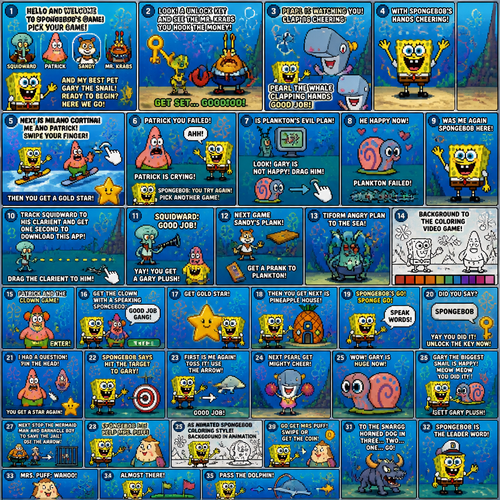
of the si generated on a video game spongebob squarepants to say hello and welcome to spongebob's game pick your game squidward or patrick sandy mr krabs and my best pet gary the snail ready to begin here we go look. a unlock key and see the nr krabs you hook. the money get set gooooo. peral is watching you. peral the whale clapping hands good job. with spongebob's hands cheering. next is milano cortina. me and patrick. swipe your finger then you get a gold star. an cartoon with pink cheeks. patrick you failed patrick is crying forvyou say ahh spongebob : you try again pick another game. is plankton's evil plan. look gary is not happy drag him. he happy now. plankton failedwas me again spongebob here. track squidward to his clarient and get one second to. download this app. spongebob drag the. clarient to him squidward: good job. yay you get a gary plush. spongebob next game sandy's plank. get a prank to plankton. tiform angry plan to. the. sea background to. the coloring video game patrick and the clown game. enter. get the clown with a speaking spongebob: good job gang. get gokl. star then you get next is pineapple house. with dpongebob'a go. sponge go speak words did you say spongebob: yay you did it unlock the key now i. had a question pin the head. you get a. star again. spongebob says hit the target. to gary. first is me again. toss it. use the arrow good job next peral get mighty cheer. wow gary is. huge now meow meow. gary the. biggesr snail is happy meow meow you did it. get gary plush spongebob gets gary next stop the mermaid man and barncale boy to save the jail use the arrow. spongebob me help mrs puff as a animate d spongebob coloring style. background in animation go get nrs puff mrs puff swipe or. get the coin to the snargg horned dog in three two one go. spongebob is the leader word mrs puff: wahoo. almost there pass. the dolphin.
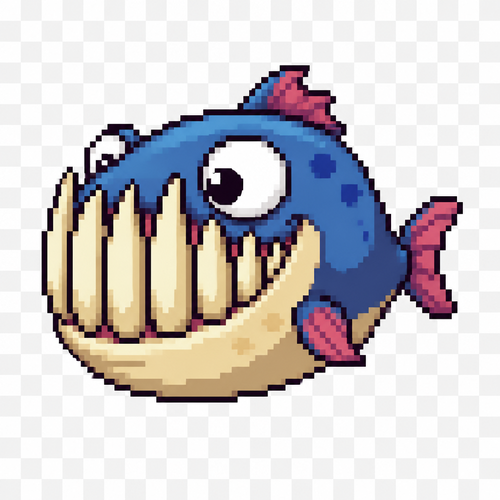
Cute predator fish monster, 2D pixel art game sprite, side view, 64x64 tile, transparent background. Small compact body with a tiny tail fin, but an oversized head occupying about 70% of the body length. Huge mouth with exaggerated teeth. The lower fangs are much longer than the upper teeth, extending upward and covering almost the entire height of the head when the mouth is closed. Despite the massive teeth, the fish should look goofy, funny and cartoonish rather than scary. Large expressive eyes, mischievous grin, slightly derpy expression. Short dorsal fin, small pectoral fins, chunky silhouette, simple readable shapes suitable for pixel art. Bright saturated colors with a darker back and lighter belly. High contrast, clean outlines, limited color palette, crisp pixel clusters, no anti-aliasing, no blur. Game-ready enemy mob sprite, idle pose, side profile, centered in frame, 64x64 pixel sprite, retro fantasy style.
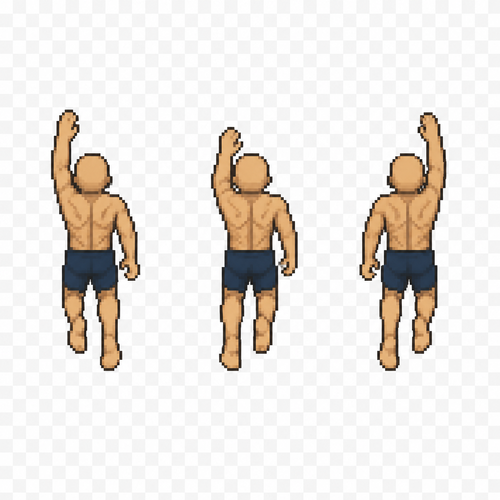
Create 3 separate pixel art sprites for a top-down 2D game swimming animation. Human male base character, bald (no hair), average athletic build. Canvas size: 64×64 pixels for each sprite. Transparent background. Top-down view only. The character is facing north (up) and swimming forward (toward the top of the screen). Generate Frame 1, Frame 2, and Frame 3 of a seamless swimming cycle. Keep the body, head, proportions, position, and scale identical in all three frames. Only the arms and legs should move between frames to simulate forward swimming. Arms move in alternating front crawl positions while the legs perform a subtle flutter kick. Clean pixel art, limited color palette, centered character, no water effects, no splashes, no shadows, no background, no text, no extra objects. Strict top-down view. Do not rotate the character or the camera. Output three separate sprites, each 64×64 pixels, not a sprite sheet. Game sprite animation reference. Similar to classic top-down RPG character animation. Preserve identical body proportions across all frames. Only limb positions change.
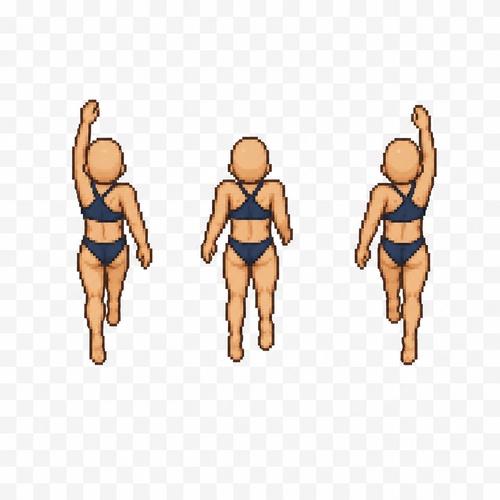
Create 3 separate pixel art sprites for a top-down 2D game swimming animation. Human female base character, bald (no hair), average athletic build. Canvas size: 64×64 pixels for each sprite. Transparent background. Top-down view only. The character is facing north (up) and swimming forward (toward the top of the screen). Generate Frame 1, Frame 2, and Frame 3 of a seamless swimming cycle. Keep the body, head, proportions, position, and scale identical in all three frames. Only the arms and legs should move between frames to simulate forward swimming. Arms move in alternating front crawl positions while the legs perform a subtle flutter kick. Clean pixel art, limited color palette, centered character, no water effects, no splashes, no shadows, no background, no text, no extra objects. Strict top-down view. Do not rotate the character or the camera. Output three separate sprites, each 64×64 pixels, not a sprite sheet. Game sprite animation reference. Similar to classic top-down RPG character animation. Preserve identical body proportions across all frames. Only limb positions change.
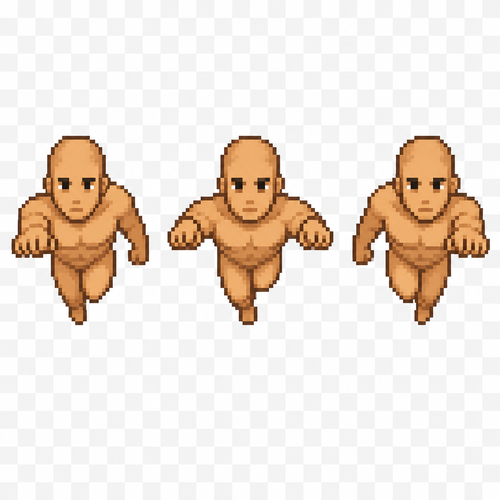
Create a pixel art sprite sheet of a base male human character swimming forward. Generate 3 animation frames that simulate a forward swimming cycle. The character is bald (no hair), viewed from the front. Sprite size: 64×96 pixels per frame. Arrange the three frames horizontally in a single sprite sheet. Transparent background. Clean pixel art with no anti-aliasing, limited color palette, consistent proportions across all frames. No clothing, armor, or accessories. Neutral facial expression. The animation should show a natural swimming motion with alternating arm and upper body movement while maintaining the same character position. The sprite is intended for a 2D game.
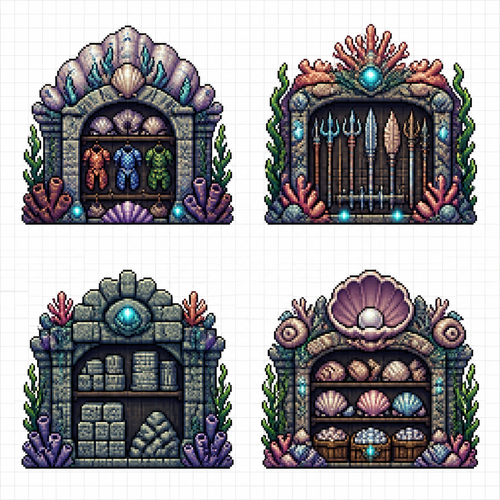
Create a pixel art sprite sheet on a pure white background with a visible square pixel grid separating each sprite. Every object must fit inside a 64x64 pixel tile, front view (orthographic), no perspective, clean readable silhouettes, game-ready assets. Theme: underwater civilization. All buildings are designed for life beneath the sea and constructed from coral, shells, stone, seaweed, driftwood, giant clam shells, barnacles, pearls and bioluminescent algae. The architecture should feel handcrafted by an advanced underwater society. Avoid any surface-world buildings or materials. Include exactly these sprites: 1. Armor Storage – a fortified underwater warehouse built from coral stone and giant shells, displaying neatly stored shell armor, coral plate armor, fish-scale armor and armor racks visible through the entrance. 2. Weapon Storage – a secure coral armory containing tridents, harpoons, coral spears, shell blades and underwater weapons stored on racks and stands. 3. Stone Storage – a heavy-duty warehouse with large stacks of carved stone blocks, polished rock, rubble piles and reinforced coral supports designed to hold massive weight. 4. Shell Storage – a storage building filled with organized piles of seashells, giant clam shells, spiral shells, pearlshell crates and decorative coral shelving, emphasizing shells as an important crafting resource. Style requirements: * high-quality pixel art * 64x64 pixels per sprite * front view only * consistent scale * clean outlines * limited fantasy color palette * readable at game resolution * no shadows outside the sprite * no background except pure white * each sprite centered inside its tile * equal spacing between sprites * sprite sheet layout * no text * no labels * no UI * no animation frames * professional game asset quality * inspired by classic pixel-art colony simulators and crafting games * underwater fantasy aesthetic * crisp pixel edges * no anti-aliasing * every storage building should have a distinct silhouette and immediately communicate its stored resource through visual details alone
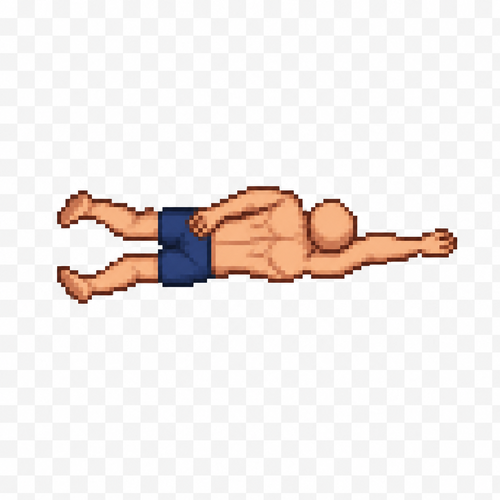
Create a single pixel art sprite of a human male character in the second frame of a swimming forward animation. Top-down view (seen from above). The character has no hair (bald), average athletic build, wearing only simple swim shorts. Sprite size: 64×64 pixels. Transparent background. Clean pixel art with a limited color palette. One arm is pulled back alongside the body while the other arm reaches forward, showing the middle phase of the swimming stroke. The legs are slightly bent in the opposite position from the first frame, suggesting forward propulsion. Keep the character centered within the 64×64 canvas. No water effects, no shadows, no text, no extra objects. Maintain the exact proportions, scale, and art style of Frame 1 so both sprites work together as a seamless animation.
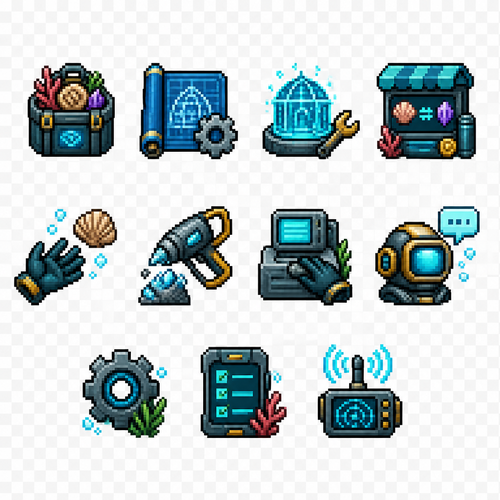
Create a set of 11 separate UI icons for a fully underwater pixel art survival game. Style: - 2D pixel art - 32x32 pixels each icon - front view / straight-on view - no UI frames, no borders, no buttons, no background - transparent background - clean readable silhouette - game interface icon style similar to classic pixel adventure games - limited color palette - high contrast - designed for small size readability World theme: - everything happens underwater - futuristic underwater exploration / ocean survival atmosphere - use underwater materials and motifs: coral, shells, sea technology, diving equipment, bioluminescent details, aquatic textures - avoid fantasy land objects - icons should feel like they belong to an underwater crafting survival game Create these separate icons: 1. Inventory icon: A small underwater storage container or diving equipment backpack filled with collected resources, shells, minerals, and items. 2. Blueprints / Recipes / Crafting icon: A rolled blueprint sheet combined with a small gear and crafting symbol, futuristic underwater engineering style. 3. Building mode icon: A construction hologram tool or underwater building module, showing a small structure outline with a wrench or placement symbol. 4. Shop icon: An underwater trading terminal or marine supply kiosk with glowing screen, shells and resource exchange symbol. 5. Hand / Pick up item icon: A simplified diving glove hand reaching toward a floating underwater resource. 6. Tool gathering icon: A mining or harvesting tool (underwater drill, cutter, or futuristic harvesting device) interacting with a mineral or coral resource. 7. Interaction icon: A hand/tool interacting with an underwater crafting station, machine console, or marine technology device. 8. Talk icon: A communication symbol for speaking with underwater characters: diving helmet with speech bubble or sonar communication symbol. 9. Settings icon: A mechanical gear combined with underwater technology elements, small and recognizable. 10. Quest list icon: A mission tablet, sonar map, or underwater data screen with checklist marks. 11. News icon: An underwater communication device, radio beacon, sonar signal, or information terminal. Requirements: - each icon isolated separately - no text inside icons - no numbers - no labels - no circular UI background - no square frame - no shadows outside the pixel object - consistent perspective and style across all icons - optimized for 32x32 pixel game HUD