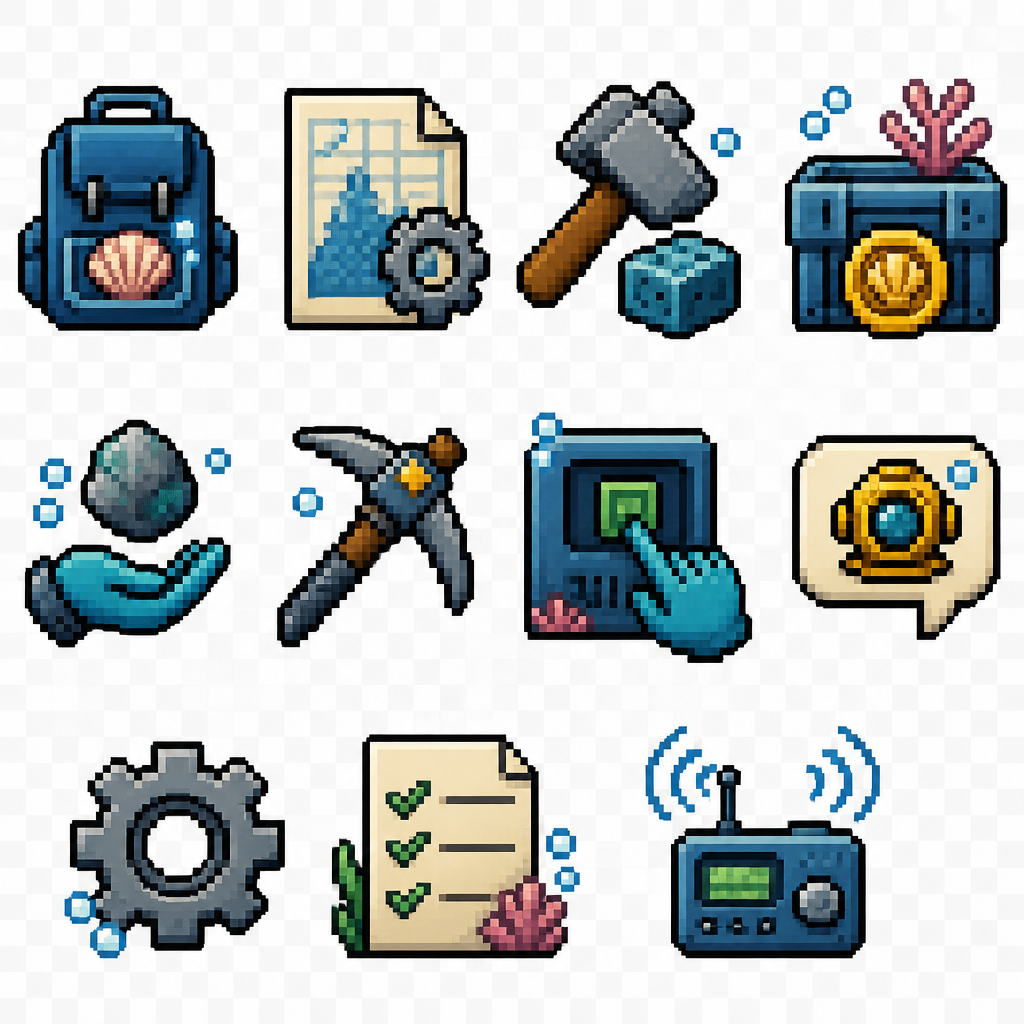
Create simple intuitive pixel art UI icons for an underwater survival game.

Style:
- 2D pixel art
- 32x32 pixels
- front view
- simple shapes
- very readable at small size
- no frame, no border, no background
- transparent background
- no text
- no numbers
- clean game HUD icons
- limited colors
- consistent style

Theme:
Underwater world. Add small ocean details like blue tones, bubbles, coral texture, marine technology elements. Icons must be simple and instantly recognizable.

Create these separate icons:

1. Inventory:
Simple backpack icon with a small shell or item inside.

2. Blueprints / Crafting:
Simple paper sheet icon with a small gear symbol.

3. Building mode:
Simple hammer icon with a small building block.

4. Shop:
Simple underwater crate or chest with a coin symbol.

5. Pick up item:
Simple open hand icon with a small floating resource above it.

6. Gather with tool:
Simple pickaxe or drill icon.

7. Interaction:
Simple hand touching a machine button or small console.

8. Talk:
Simple speech bubble icon with a small diving helmet symbol.

9. Settings:
Simple gear icon.

10. Quest list:
Simple paper checklist icon with 2-3 check marks.

11. News:
Simple radio / signal icon with waves.

Additional requirements:
- each icon isolated
- same pixel size and visual language
- thick pixel outlines
- strong silhouette
- readable in 32x32 resolution
- suitable for underwater game interface

Create simple intuitive pixel art UI icons for an underwater survival game. Style: - 2D pixel art - 32x32 pixels - front view - simple shapes - very readable…

More from the community
Create simple intuitive pixel art UI icons for an underwater survival game.

Style:
- 2D pixel art
- 32x32 pixels
- front view
- simple shapes
- very readable at small size
- no frame, no border, no background
- transparent background
- no text
- no numbers
- clean game HUD icons
- limited colors
- consistent style

Theme:
Underwater world. Add small ocean details like blue tones, bubbles, coral texture, marine technology elements. Icons must be simple and instantly recognizable.

Create these separate icons:

1. Inventory:
Simple backpack icon with a small shell or item inside.

2. Blueprints / Crafting:
Simple paper sheet icon with a small gear symbol.

3. Building mode:
Simple hammer icon with a small building block.

4. Shop:
Simple underwater crate or chest with a coin symbol.

5. Pick up item:
Simple open hand icon with a small floating resource above it.

6. Gather with tool:
Simple pickaxe or drill icon.

7. Interaction:
Simple hand touching a machine button or small console.

8. Talk:
Simple speech bubble icon with a small diving helmet symbol.

9. Settings:
Simple gear icon.

10. Quest list:
Simple paper checklist icon with 2-3 check marks.

11. News:
Simple radio / signal icon with waves.

Additional requirements:
- each icon isolated
- same pixel size and visual language
- thick pixel outlines
- strong silhouette
- readable in 32x32 resolution
- suitable for underwater game interface

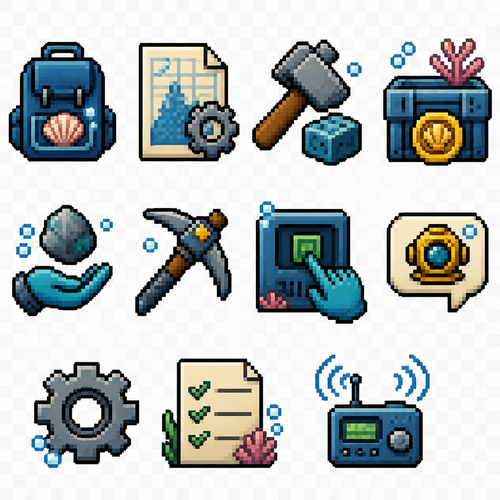
Create simple intuitive pixel art UI icons for an underwater survival game. Style: - 2D pixel art - 32x32 pixels - front view - simple shapes - very readable at small size - no frame, no border, no background - transparent background - no text - no numbers - clean game HUD icons - limited colors - consistent style Theme: Underwater world. Add small ocean details like blue tones, bubbles, coral texture, marine technology elements. Icons must be simple and instantly recognizable. Create these separate icons: 1. Inventory: Simple backpack icon with a small shell or item inside. 2. Blueprints / Crafting: Simple paper sheet icon with a small gear symbol. 3. Building mode: Simple hammer icon with a small building block. 4. Shop: Simple underwater crate or chest with a coin symbol. 5. Pick up item: Simple open hand icon with a small floating resource above it. 6. Gather with tool: Simple pickaxe or drill icon. 7. Interaction: Simple hand touching a machine button or small console. 8. Talk: Simple speech bubble icon with a small diving helmet symbol. 9. Settings: Simple gear icon. 10. Quest list: Simple paper checklist icon with 2-3 check marks. 11. News: Simple radio / signal icon with waves. Additional requirements: - each icon isolated - same pixel size and visual language - thick pixel outlines - strong silhouette - readable in 32x32 resolution - suitable for underwater game interface
create a lion in flat colors without using colors shades and gradient use only one shade of a color , 128 bit , simple coloured background in 3-4 colors

create a lion in flat colors without using colors shades and gradient use only one shade of a color , 128 bit , simple coloured background in 3-4 colors

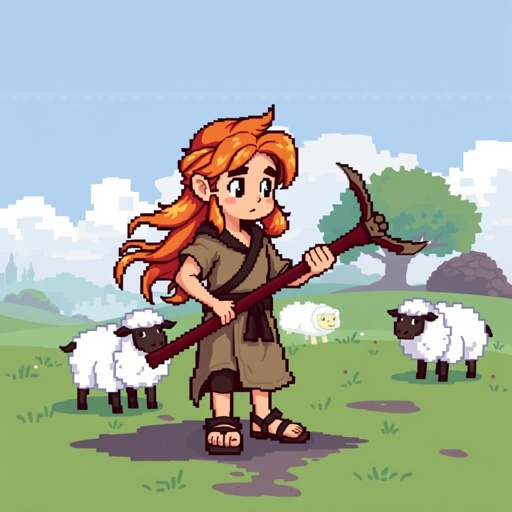
Create a profile sheet for a character based off of David from the Bible

Create a profile sheet for a character based off of David from the Bible

create a rabbit holding a carrot and rainbow in background ,dont make so detailed,  each pixel has a size of 7mm  ,dont make outline

create a rabbit holding a carrot and rainbow in background ,dont make so detailed, each pixel has a size of 7mm ,dont make outline
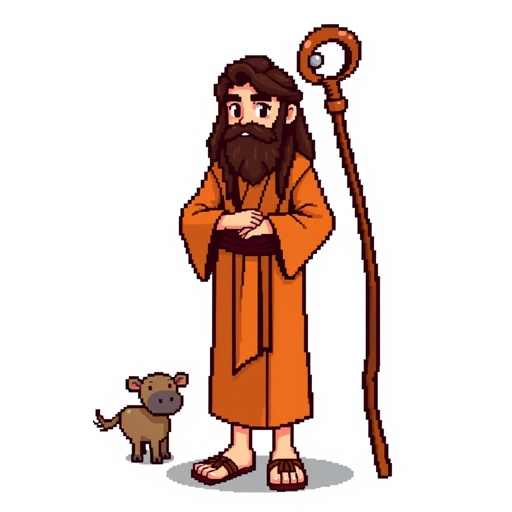
Create a pixelart character of Noah from the Bible, no background. For a pixelart game we want to make, it should be in the style similar to Stardew Valley characters.

Create a pixelart character of Noah from the Bible, no background. For a pixelart game we want to make, it should be in the style similar to Stardew Valley characters.

Create a pixel art character sprite sheet based on SNES jrpg gaming. The sprite sheet should feature a black and white skunk. It should have a side view walking with 6 frames.
Create a pixel art character sprite sheet based on SNES jrpg gaming. The sprite sheet should feature a black and white skunk. It should have a side view walking with 6 frames.

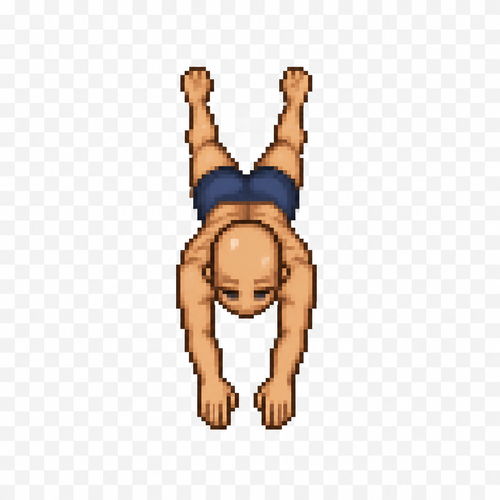
Create a single pixel art sprite of a human female character in a swimming forward pose. Top-down view (seen from above). The character has no hair (bald), average athletic build, wearing only simple swim shorts. Sprite size: 64×64 pixels. Transparent background. Clean pixel art with a limited color palette. The character should appear to be swimming forward with both arms extended in a swimming stroke and legs slightly apart, suitable as one frame of a top-down swimming animation for a 2D game. Keep the entire character centered within the 64×64 canvas. No water effects, no shadows, no text, no extra objects.
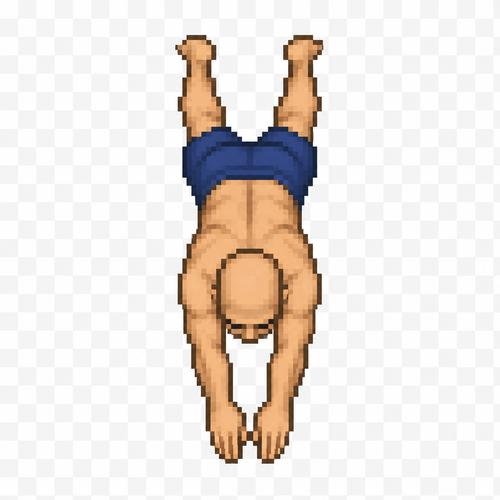
Create a single pixel art sprite of a human female character in a swimming forward pose. Top-down view (seen from above). The character has no hair (bald), average athletic build, wearing only simple swim shorts. Sprite size: 64×64 pixels. Transparent background. Clean pixel art with a limited color palette. The character should appear to be swimming forward with both arms extended in a swimming stroke and legs slightly apart, suitable as one frame of a top-down swimming animation for a 2D game. Keep the entire character centered within the 64×64 canvas. No water effects, no shadows, no text, no extra objects.

Create a single pixel art sprite of a human male character in a swimming forward pose. Top-down view (seen from above). The character has no hair (bald), average athletic build, wearing only simple swim shorts. Sprite size: 64×64 pixels. Transparent background. Clean pixel art with a limited color palette. The character should appear to be swimming forward with both arms extended in a swimming stroke and legs slightly apart, suitable as one frame of a top-down swimming animation for a 2D game. Keep the entire character centered within the 64×64 canvas. No water effects, no shadows, no text, no extra objects. This sprite is Frame 1 of a swimming animation. Maintain proportions suitable for creating additional animation frames later.
Create a single pixel art sprite of a human male character in a swimming forward pose. Top-down view (seen from above). The character has no hair (bald), average athletic build, wearing only simple swim shorts. Sprite size: 64×64 pixels. Transparent background. Clean pixel art with a limited color palette. The character should appear to be swimming forward with both arms extended in a swimming stroke and legs slightly apart, suitable as one frame of a top-down swimming animation for a 2D game. Keep the entire character centered within the 64×64 canvas. No water effects, no shadows, no text, no extra objects. This sprite is Frame 1 of a swimming animation. Maintain proportions suitable for creating additional animation frames later.

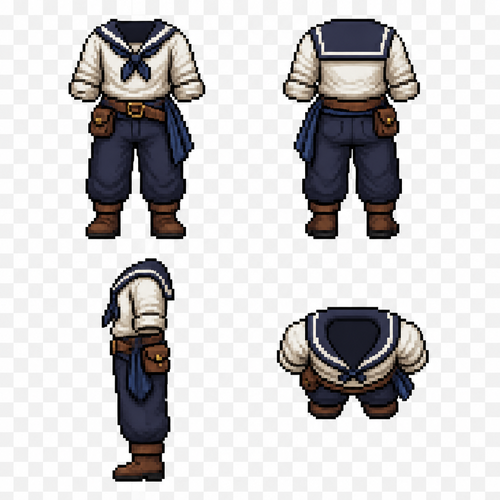
Create a pixel art clothing reference sprite sheet for a male 2D game character. A sailor outfit set shown in four views: front view, back view, side view, and top-down view. Total: 4 clothing images arranged on one sheet.

Style: clean detailed pixel art for a character customization system. Transparent background. Clothing only — no head, no hair, no body, no face. Designed as a clothing overlay for a male character sprite.

Sailor outfit design:

* Simple sailor shirt with rolled sleeves.
* Loose practical trousers suitable for sailing.
* Leather belt with small pouch.
* Simple sailor boots.
* Optional cloth sash or scarf detail.
* Practical everyday sailor clothing, not military, not fantasy armor.

Create four matching views:

1. Front view — complete outfit visible.
2. Back view — show back details and clothing shape.
3. Side view — accurate silhouette.
4. Top-down view (bird’s-eye view for a top-down RPG character sprite).

Keep the exact same outfit design, colors, proportions, and details across all four views. The clothing must align perfectly with the same male base character model.

Arrange the 4 sprites in a clean grid layout. Pixel-perfect alignment. Transparent background. No text. No labels. No extra objects.

Game asset sprite sheet. Each image: 64×64 pixels. Designed to fit a 64×96 pixel male character base model.
Create a pixel art clothing reference sprite sheet for a male 2D game character. A sailor outfit set shown in four views: front view, back view, side view, and top-down view. Total: 4 clothing images arranged on one sheet. Style: clean detailed pixel art for a character customization system. Transparent background. Clothing only — no head, no hair, no body, no face. Designed as a clothing overlay for a male character sprite. Sailor outfit design: * Simple sailor shirt with rolled sleeves. * Loose practical trousers suitable for sailing. * Leather belt with small pouch. * Simple sailor boots. * Optional cloth sash or scarf detail. * Practical everyday sailor clothing, not military, not fantasy armor. Create four matching views: 1. Front view — complete outfit visible. 2. Back view — show back details and clothing shape. 3. Side view — accurate silhouette. 4. Top-down view (bird’s-eye view for a top-down RPG character sprite). Keep the exact same outfit design, colors, proportions, and details across all four views. The clothing must align perfectly with the same male base character model. Arrange the 4 sprites in a clean grid layout. Pixel-perfect alignment. Transparent background. No text. No labels. No extra objects. Game asset sprite sheet. Each image: 64×64 pixels. Designed to fit a 64×96 pixel male character base model.

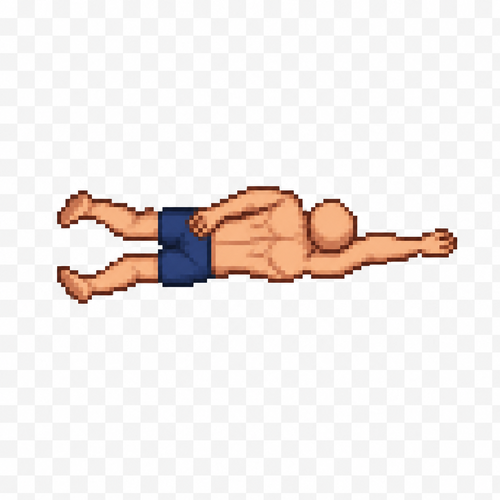
Create a single pixel art sprite of a human male character in the second frame of a swimming forward animation. Top-down view (seen from above). The character has no hair (bald), average athletic build, wearing only simple swim shorts. Sprite size: 64×64 pixels. Transparent background. Clean pixel art with a limited color palette. One arm is pulled back alongside the body while the other arm reaches forward, showing the middle phase of the swimming stroke. The legs are slightly bent in the opposite position from the first frame, suggesting forward propulsion. Keep the character centered within the 64×64 canvas. No water effects, no shadows, no text, no extra objects. Maintain the exact proportions, scale, and art style of Frame 1 so both sprites work together as a seamless animation.

Create a single pixel art sprite of a human male character in the second frame of a swimming forward animation. Top-down view (seen from above). The character has no hair (bald), average athletic build, wearing only simple swim shorts. Sprite size: 64×64 pixels. Transparent background. Clean pixel art with a limited color palette. One arm is pulled back alongside the body while the other arm reaches forward, showing the middle phase of the swimming stroke. The legs are slightly bent in the opposite position from the first frame, suggesting forward propulsion. Keep the character centered within the 64×64 canvas. No water effects, no shadows, no text, no extra objects. Maintain the exact proportions, scale, and art style of Frame 1 so both sprites work together as a seamless animation.

Simple shape robots based off of simple shave for example: a robot made with a square head and a smaller square body. Thin arms oblong ovals for hands and feet. And similar thin lines for fingers. One antenna with a red light or ball at the end with a basic happy looking face. Theme is simple futuristic/robot

Simple shape robots based off of simple shave for example: a robot made with a square head and a smaller square body. Thin arms oblong ovals for hands and feet. And similar thin lines for fingers. One antenna with a red light or ball at the end with a basic happy looking face. Theme is simple futuristic/robot

Create a single pixel art sprite for a 2D top-down game. Human female character, bald, average slim build, no hair, no accessories, wearing a simple one-piece swimsuit. Canvas size: 64×64 pixels. Transparent background. Strict top-down view. The character is facing north (up), with the head at the top of the sprite and the feet at the bottom. This is Frame 1 of a forward swimming animation. Both arms are fully extended straight above the head, reaching toward the top of the sprite in the direction of movement. The legs are slightly apart and extended behind the body. Keep the body perfectly straight and centered. Clean pixel art, limited color palette, consistent proportions, no water effects, no shadows, no background, no text, no extra objects. Do not rotate the camera. Do not create a side or isometric view.

Strict orthographic top-down game sprite. The body must remain vertical. Head at the top edge, feet at the bottom edge. Arms point toward the top of the sprite only. No side view. No perspective. No diagonal pose. Pixel art game asset.

Create a single pixel art sprite for a 2D top-down game. Human female character, bald, average slim build, no hair, no accessories, wearing a simple one-piece swimsuit. Canvas size: 64×64 pixels. Transparent background. Strict top-down view. The character is facing north (up), with the head at the top of the sprite and the feet at the bottom. This is Frame 1 of a forward swimming animation. Both arms are fully extended straight above the head, reaching toward the top of the sprite in the direction of movement. The legs are slightly apart and extended behind the body. Keep the body perfectly straight and centered. Clean pixel art, limited color palette, consistent proportions, no water effects, no shadows, no background, no text, no extra objects. Do not rotate the camera. Do not create a side or isometric view. Strict orthographic top-down game sprite. The body must remain vertical. Head at the top edge, feet at the bottom edge. Arms point toward the top of the sprite only. No side view. No perspective. No diagonal pose. Pixel art game asset.