Prompt (ENG):

Create a pixel art sprite sheet on a pure white background with a visible square pixel grid separating each sprite. Every object must fit inside a 64x64 pixel tile, front view (orthographic), no perspective, clean readable silhouettes, game-ready assets.

Theme: underwater civilization. All buildings are designed to function beneath the sea, constructed from coral, shells, stone, seaweed, driftwood, giant clam shells, barnacles, pearls, and bioluminescent algae. Avoid any surface-world architecture.

Include exactly these sprites:

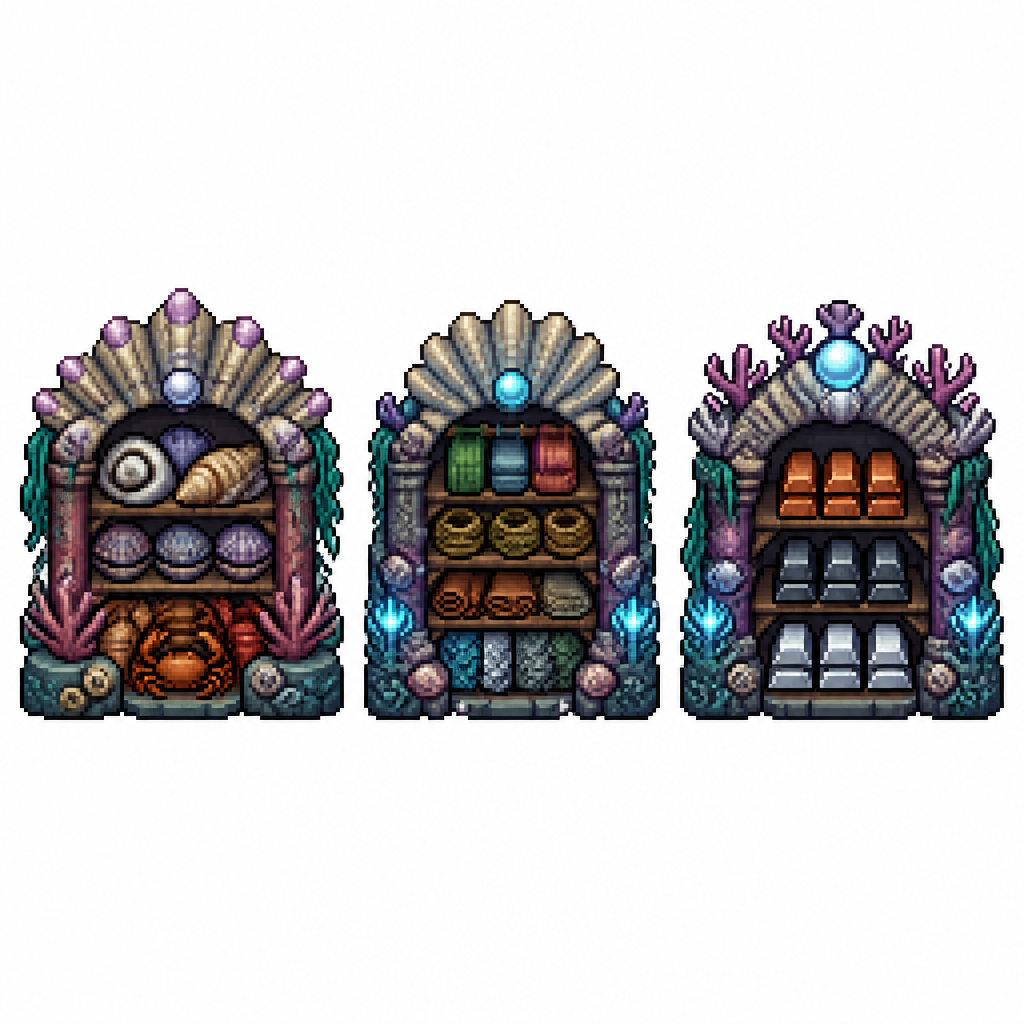
1. Shell Storage – a sturdy underwater warehouse for storing shells and crustacean carapaces. Large decorative shell piles, stacked clam shells, crab and lobster carapaces, reinforced with coral beams and stone supports.
2. Textile Storage – an underwater warehouse for soft crafting materials. Visible bundles of woven sea-fiber fabric, coils of rope made from kelp fibers, rolled hides, cured leather, and neatly stacked fish and sea serpent scales. Built from coral, stone, and shell architecture.
3. Metal Storage – an underwater warehouse dedicated to refined metals. Organized stacks of metal ingots in shell racks and coral shelves. Include bronze-, iron-, and silver-colored ingots, protected by heavy coral pillars and stone walls.

Style requirements:

* high-quality pixel art
* 64x64 pixels per sprite
* front view only
* consistent scale
* clean outlines
* limited fantasy color palette
* readable at game resolution
* no shadows outside the sprite
* no background except pure white
* each sprite centered inside its tile
* equal spacing between sprites
* sprite sheet layout
* no text
* no labels
* no UI
* no animation frames
* professional game asset quality
* inspired by classic pixel-art colony simulators and crafting games
* underwater fantasy aesthetic
* crisp pixel edges
* no anti-aliasing

Consistency note: Keep the architectural language, materials, proportions, lighting, and color palette consistent with the previously generated buildings (greenhouse, smelter, stonecutter’s table, food storage, and coral fence), so all assets look like they belong to the same underwater civilization.

Prompt (ENG): Create a pixel art sprite sheet on a pure white background with a visible square pixel grid separating each sprite. Every object must fit inside…

More from the community
Prompt (ENG):

Create a pixel art sprite sheet on a pure white background with a visible square pixel grid separating each sprite. Every object must fit inside a 64x64 pixel tile, front view (orthographic), no perspective, clean readable silhouettes, game-ready assets.

Theme: underwater civilization. All buildings are designed to function beneath the sea, constructed from coral, shells, stone, seaweed, driftwood, giant clam shells, barnacles, pearls, and bioluminescent algae. Avoid any surface-world architecture.

Include exactly these sprites:

1. Shell Storage – a sturdy underwater warehouse for storing shells and crustacean carapaces. Large decorative shell piles, stacked clam shells, crab and lobster carapaces, reinforced with coral beams and stone supports.
2. Textile Storage – an underwater warehouse for soft crafting materials. Visible bundles of woven sea-fiber fabric, coils of rope made from kelp fibers, rolled hides, cured leather, and neatly stacked fish and sea serpent scales. Built from coral, stone, and shell architecture.
3. Metal Storage – an underwater warehouse dedicated to refined metals. Organized stacks of metal ingots in shell racks and coral shelves. Include bronze-, iron-, and silver-colored ingots, protected by heavy coral pillars and stone walls.

Style requirements:

* high-quality pixel art
* 64x64 pixels per sprite
* front view only
* consistent scale
* clean outlines
* limited fantasy color palette
* readable at game resolution
* no shadows outside the sprite
* no background except pure white
* each sprite centered inside its tile
* equal spacing between sprites
* sprite sheet layout
* no text
* no labels
* no UI
* no animation frames
* professional game asset quality
* inspired by classic pixel-art colony simulators and crafting games
* underwater fantasy aesthetic
* crisp pixel edges
* no anti-aliasing

Consistency note: Keep the architectural language, materials, proportions, lighting, and color palette consistent with the previously generated buildings (greenhouse, smelter, stonecutter’s table, food storage, and coral fence), so all assets look like they belong to the same underwater civilization.
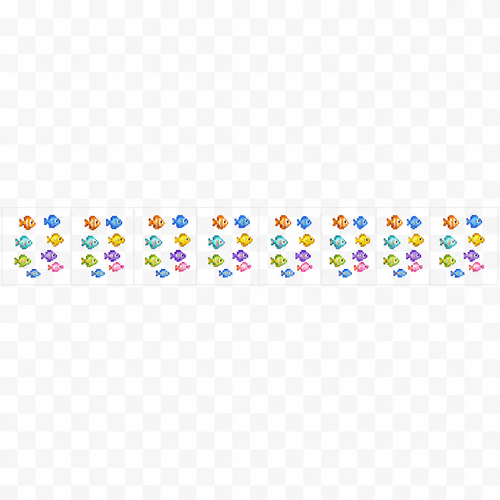
Prompt (ENG): Create a pixel art sprite sheet on a pure white background with a visible square pixel grid separating each sprite. Every object must fit inside a 64x64 pixel tile, front view (orthographic), no perspective, clean readable silhouettes, game-ready assets. Theme: underwater civilization. All buildings are designed to function beneath the sea, constructed from coral, shells, stone, seaweed, driftwood, giant clam shells, barnacles, pearls, and bioluminescent algae. Avoid any surface-world architecture. Include exactly these sprites: 1. Shell Storage – a sturdy underwater warehouse for storing shells and crustacean carapaces. Large decorative shell piles, stacked clam shells, crab and lobster carapaces, reinforced with coral beams and stone supports. 2. Textile Storage – an underwater warehouse for soft crafting materials. Visible bundles of woven sea-fiber fabric, coils of rope made from kelp fibers, rolled hides, cured leather, and neatly stacked fish and sea serpent scales. Built from coral, stone, and shell architecture. 3. Metal Storage – an underwater warehouse dedicated to refined metals. Organized stacks of metal ingots in shell racks and coral shelves. Include bronze-, iron-, and silver-colored ingots, protected by heavy coral pillars and stone walls. Style requirements: * high-quality pixel art * 64x64 pixels per sprite * front view only * consistent scale * clean outlines * limited fantasy color palette * readable at game resolution * no shadows outside the sprite * no background except pure white * each sprite centered inside its tile * equal spacing between sprites * sprite sheet layout * no text * no labels * no UI * no animation frames * professional game asset quality * inspired by classic pixel-art colony simulators and crafting games * underwater fantasy aesthetic * crisp pixel edges * no anti-aliasing Consistency note: Keep the architectural language, materials, proportions, lighting, and color palette consistent with the previously generated buildings (greenhouse, smelter, stonecutter’s table, food storage, and coral fence), so all assets look like they belong to the same underwater civilization.

Create a 2D pixel art sprite sheet for a small school of tiny fish.

Style:
- Pixel art only.
- Top-quality game asset.
- Clean readable pixels.
- No anti-aliasing.
- Bright tropical underwater colors.
- Cute but natural appearance.
- Suitable for side-scrolling game.

Sprite requirements:
- Tile size: 64x64 pixels per frame.
- Transparent background.
- The school contains 8–12 very small fish swimming together as one group.
- The fish stay close together in a loose natural formation.
- The entire school fits comfortably inside the 64x64 tile with empty margins.
- Fish have slightly different sizes and orientations for a natural look.

Animation:
- 8 animation frames.
- Horizontal swimming only (left/right movement).
- Gentle tail wagging.
- Small body flex.
- Slight individual offsets between fish to simulate realistic schooling.
- No vertical movement.
- No rotation.
- No camera movement.
- Loop seamlessly.

Output:
- Sprite sheet.
- 8 frames in one horizontal row.
- Each frame exactly 64x64 pixels.
- Consistent lighting and colors across all frames.
- Transparent background.

Negative prompt:
No blur, no smooth shading, no outlines outside sprites, no water background, no bubbles, no text, no UI, no glow, no motion blur, no perspective, no 3D, no extra objects.
Create a 2D pixel art sprite sheet for a small school of tiny fish. Style: - Pixel art only. - Top-quality game asset. - Clean readable pixels. - No anti-aliasing. - Bright tropical underwater colors. - Cute but natural appearance. - Suitable for side-scrolling game. Sprite requirements: - Tile size: 64x64 pixels per frame. - Transparent background. - The school contains 8–12 very small fish swimming together as one group. - The fish stay close together in a loose natural formation. - The entire school fits comfortably inside the 64x64 tile with empty margins. - Fish have slightly different sizes and orientations for a natural look. Animation: - 8 animation frames. - Horizontal swimming only (left/right movement). - Gentle tail wagging. - Small body flex. - Slight individual offsets between fish to simulate realistic schooling. - No vertical movement. - No rotation. - No camera movement. - Loop seamlessly. Output: - Sprite sheet. - 8 frames in one horizontal row. - Each frame exactly 64x64 pixels. - Consistent lighting and colors across all frames. - Transparent background. Negative prompt: No blur, no smooth shading, no outlines outside sprites, no water background, no bubbles, no text, no UI, no glow, no motion blur, no perspective, no 3D, no extra objects.

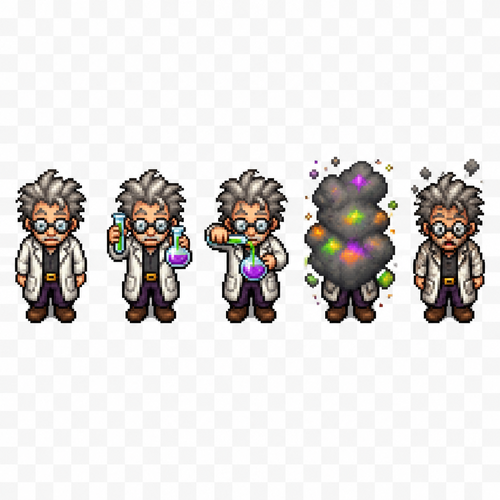
Create a 2D pixel art NPC character sprite sheet of a mad scientist / alchemist character.

Character:
- A small fantasy scientist NPC
- Top-down view (looking from above)
- Full body sprite
- Pixel art style, retro RPG game style
- Character size: 64x96 pixels per frame
- Clean pixel edges, limited color palette, detailed but readable
- Transparent background
- Game-ready sprite sheet animation

Sprite sheet contains 5 animation frames arranged horizontally:

Frame 1:
The scientist is standing facing forward (towards the camera/top-down perspective).
Wearing a white lab coat, dark pants, boots, glasses, messy hair.
Neutral idle pose.

Frame 2:
The scientist holds a glass flask with colorful liquid in one hand and a test tube with glowing liquid in the other hand.
Carefully examining the experiment.

Frame 3:
The scientist is pouring liquid from the test tube into the flask.
Hands close together, active experiment animation pose.

Frame 4:
Experiment explosion animation.
A small smoke cloud and magical chemical explosion effect covers the character.
Visible smoke, sparks, and colorful particles.

Frame 5:
The scientist returns to standing forward pose.
Slightly burned after the explosion:
- black soot marks on face and lab coat
- messy hair
- small smoke particles around him
- surprised expression

Style:
top-down RPG pixel art, similar to classic 16-bit adventure games, detailed NPC sprite, smooth animation frames, consistent character design across all frames, sharp pixels, no blur, no realistic rendering.

Negative prompt:
realistic, 3D, high resolution, smooth gradients, blurry pixels, extra limbs, wrong perspective, missing frames, different character in each frame, cropped body, background, text, UI elements.

Sprite sheet layout: 5 columns, 1 row, each frame exactly 64x96 pixels, aligned perfectly for game engine import.
Create a 2D pixel art NPC character sprite sheet of a mad scientist / alchemist character. Character: - A small fantasy scientist NPC - Top-down view (looking from above) - Full body sprite - Pixel art style, retro RPG game style - Character size: 64x96 pixels per frame - Clean pixel edges, limited color palette, detailed but readable - Transparent background - Game-ready sprite sheet animation Sprite sheet contains 5 animation frames arranged horizontally: Frame 1: The scientist is standing facing forward (towards the camera/top-down perspective). Wearing a white lab coat, dark pants, boots, glasses, messy hair. Neutral idle pose. Frame 2: The scientist holds a glass flask with colorful liquid in one hand and a test tube with glowing liquid in the other hand. Carefully examining the experiment. Frame 3: The scientist is pouring liquid from the test tube into the flask. Hands close together, active experiment animation pose. Frame 4: Experiment explosion animation. A small smoke cloud and magical chemical explosion effect covers the character. Visible smoke, sparks, and colorful particles. Frame 5: The scientist returns to standing forward pose. Slightly burned after the explosion: - black soot marks on face and lab coat - messy hair - small smoke particles around him - surprised expression Style: top-down RPG pixel art, similar to classic 16-bit adventure games, detailed NPC sprite, smooth animation frames, consistent character design across all frames, sharp pixels, no blur, no realistic rendering. Negative prompt: realistic, 3D, high resolution, smooth gradients, blurry pixels, extra limbs, wrong perspective, missing frames, different character in each frame, cropped body, background, text, UI elements. Sprite sheet layout: 5 columns, 1 row, each frame exactly 64x96 pixels, aligned perfectly for game engine import.

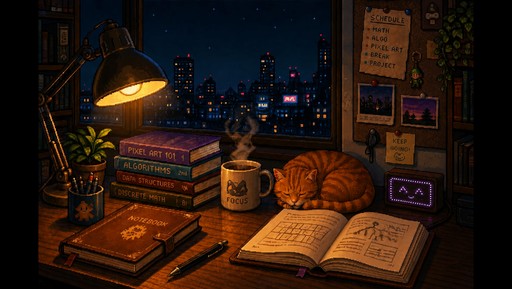
Cozy pixel art study with open books, desk lamp, coffee, and nighttime city view
Cozy pixel art study with open books, desk lamp, coffee, and nighttime city view

Create a pixel sprite sheet based on SNES jrpg gaming. The sprite is a tree ent. The sprite sheet should have the sprite facing right and should feature 6 slides of a walk animation
Create a pixel sprite sheet based on SNES jrpg gaming. The sprite is a tree ent. The sprite sheet should have the sprite facing right and should feature 6 slides of a walk animation

Create a 2D pixel art sprite sheet of a short astronaut character.

Style:
-retro pixel art 
-32x32 pixels 
-clean readable silhouette 
-limited colors palette (16-32 colors)
-transparent background 
-no anti-aliasing 
-constant lighting 
-game-ready asset
-suitable for a topdown-quality indie pixel game 

Layout:


front view (facing camera)

Character:
-An network engineer, network specialist
-short legs and a matching torso
-smooth body
-glasses should be transparent
-network themed colors but no official logos
-he should be cute but realistic

Requirements:
-no cropping 
-constant proportions
-transparent background 
-pixel perfect 
-no text
-no ui
-no borders
-no shadows outside the sprite 

Style reference: 
Stardew valley, core keepers,terraria, classic SNES pixel art, high-quality handcrafted sprite sheet.
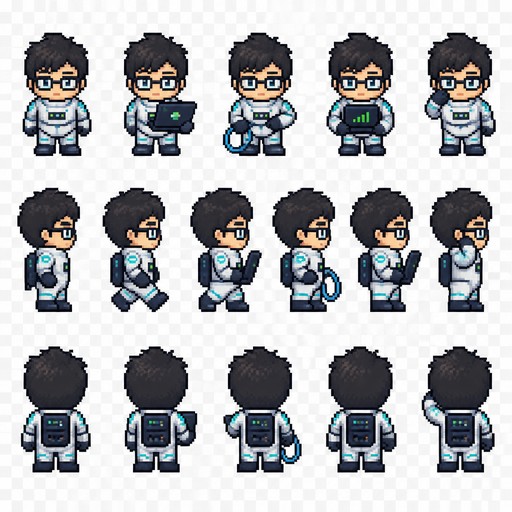
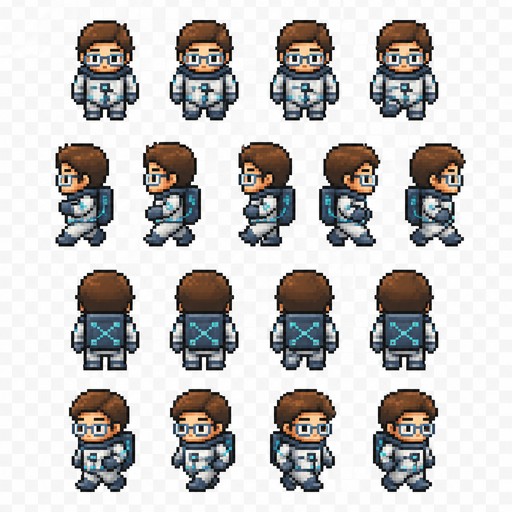
Create a 2D pixel art sprite sheet of a short astronaut character. Style: -retro pixel art -32x32 pixels -clean readable silhouette -limited colors palette (16-32 colors) -transparent background -no anti-aliasing -constant lighting -game-ready asset -suitable for a topdown-quality indie pixel game Layout: front view (facing camera) Character: -An network engineer, network specialist -short legs and a matching torso -smooth body -glasses should be transparent -network themed colors but no official logos -he should be cute but realistic Requirements: -no cropping -constant proportions -transparent background -pixel perfect -no text -no ui -no borders -no shadows outside the sprite Style reference: Stardew valley, core keepers,terraria, classic SNES pixel art, high-quality handcrafted sprite sheet.
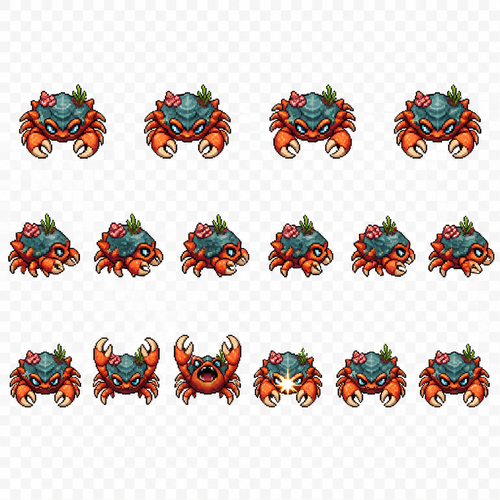
Create a 2D pixel art sprite sheet of a short astronaut character.

Style:
-retro pixel art 
-32x32 pixels 
-clean readable silhouette 
-limited colors palette (16-32 colors)
-transparent background 
-no anti-aliasing 
-constant lighting 
-game-ready asset
-suitable for a topdown-quality indie pixel game 

Layout:


front view (facing camera)

Character:
-An network engineer, network specialist
-short legs and a matching torso
-smooth body
-glasses should be transparent
-network themed colors but no official logos
-he should be cute but realistic

Requirements:
-no cropping 
-constant proportions
-transparent background 
-pixel perfect 
-no text
-no ui
-no borders
-no shadows outside the sprite 

Style reference: 
Stardew valley, core keepers,terraria, classic SNES pixel art, high-quality handcrafted sprite sheet.

Create a 2D pixel art sprite sheet of a short astronaut character. Style: -retro pixel art -32x32 pixels -clean readable silhouette -limited colors palette (16-32 colors) -transparent background -no anti-aliasing -constant lighting -game-ready asset -suitable for a topdown-quality indie pixel game Layout: front view (facing camera) Character: -An network engineer, network specialist -short legs and a matching torso -smooth body -glasses should be transparent -network themed colors but no official logos -he should be cute but realistic Requirements: -no cropping -constant proportions -transparent background -pixel perfect -no text -no ui -no borders -no shadows outside the sprite Style reference: Stardew valley, core keepers,terraria, classic SNES pixel art, high-quality handcrafted sprite sheet.

Create a 2D pixel art NPC sprite sheet of a crab enemy character.

Character:
- A fantasy crab creature NPC
- Top-down view (camera looking from above)
- Full body visible
- Cute but slightly dangerous game enemy design
- Detailed pixel art style
- Clean pixel edges, no anti-aliasing
- Suitable for a 2D RPG / adventure game
- Character size: 64x64 pixels per frame

Sprite sheet animation:
Create a single sprite sheet with multiple animation frames, each frame exactly 64x64 pixels.

Animations required:

1. Idle / Front Facing:
- Crab standing still facing the camera/top-down player view
- Neutral pose
- Claws slightly open
- 2-4 idle frames with subtle movement:
  - body bobbing
  - claws moving slightly
  - small leg movement

2. Side Step Movement:
- Crab moving sideways
- Walking animation cycle
- 4-6 frames:
  - legs alternating movement
  - body shifting left/right
  - claws balancing during movement
  - smooth walking loop

3. Attack Animation:
- Crab attacking by snapping its claws
- 5-6 frames:
  - claws opening wide
  - aggressive pose
  - claws quickly closing with impact
  - small motion effect pixels around claws
  - return to idle stance

Visual style:
- 16-bit / 32-bit classic video game pixel art
- High quality game sprite
- Clear silhouette
- Consistent proportions across all frames
- Transparent background
- No shadows outside the character
- No environment
- No text
- No UI elements

Composition:
- Arrange all animation frames in a clean sprite sheet grid
- Equal spacing between frames
- Same character scale and position in every frame
- Ready to import into a 2D game engine

Create a 2D pixel art NPC sprite sheet of a crab enemy character. Character: - A fantasy crab creature NPC - Top-down view (camera looking from above) - Full body visible - Cute but slightly dangerous game enemy design - Detailed pixel art style - Clean pixel edges, no anti-aliasing - Suitable for a 2D RPG / adventure game - Character size: 64x64 pixels per frame Sprite sheet animation: Create a single sprite sheet with multiple animation frames, each frame exactly 64x64 pixels. Animations required: 1. Idle / Front Facing: - Crab standing still facing the camera/top-down player view - Neutral pose - Claws slightly open - 2-4 idle frames with subtle movement: - body bobbing - claws moving slightly - small leg movement 2. Side Step Movement: - Crab moving sideways - Walking animation cycle - 4-6 frames: - legs alternating movement - body shifting left/right - claws balancing during movement - smooth walking loop 3. Attack Animation: - Crab attacking by snapping its claws - 5-6 frames: - claws opening wide - aggressive pose - claws quickly closing with impact - small motion effect pixels around claws - return to idle stance Visual style: - 16-bit / 32-bit classic video game pixel art - High quality game sprite - Clear silhouette - Consistent proportions across all frames - Transparent background - No shadows outside the character - No environment - No text - No UI elements Composition: - Arrange all animation frames in a clean sprite sheet grid - Equal spacing between frames - Same character scale and position in every frame - Ready to import into a 2D game engine
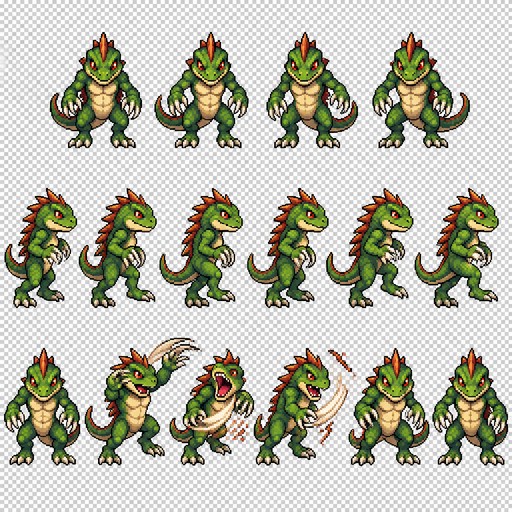
Create a 2D pixel art NPC sprite sheet of a Lizard enemy character.

Character:
- A fantasy crab creature NPC
- Top-down view (camera looking from above)
- Full body visible
- Cute but slightly dangerous game enemy design
- Detailed pixel art style
- Clean pixel edges, no anti-aliasing
- Suitable for a 2D RPG / adventure game
- Character size: 64x64 pixels per frame

Sprite sheet animation:
Create a single sprite sheet with multiple animation frames, each frame exactly 64x64 pixels.

Animations required:

1. Idle / Front Facing:
- Crab standing still facing the camera/top-down player view
- Neutral pose
- Claws slightly open
- 2-4 idle frames with subtle movement:
  - body bobbing
  - claws moving slightly
  - small leg movement

2. Side Step Movement:
- Crab moving sideways
- Walking animation cycle
- 4-6 frames:
  - legs alternating movement
  - body shifting left/right
  - claws balancing during movement
  - smooth walking loop

3. Attack Animation:
- Crab attacking by snapping its claws
- 5-6 frames:
  - claws opening wide
  - aggressive pose
  - claws quickly closing with impact
  - small motion effect pixels around claws
  - return to idle stance

Visual style:
- 16-bit / 32-bit classic video game pixel art
- High quality game sprite
- Clear silhouette
- Consistent proportions across all frames
- Transparent background
- No shadows outside the character
- No environment
- No text
- No UI elements

Composition:
- Arrange all animation frames in a clean sprite sheet grid
- Equal spacing between frames
- Same character scale and position in every frame
- Ready to import into a 2D game engine

Create a 2D pixel art NPC sprite sheet of a Lizard enemy character. Character: - A fantasy crab creature NPC - Top-down view (camera looking from above) - Full body visible - Cute but slightly dangerous game enemy design - Detailed pixel art style - Clean pixel edges, no anti-aliasing - Suitable for a 2D RPG / adventure game - Character size: 64x64 pixels per frame Sprite sheet animation: Create a single sprite sheet with multiple animation frames, each frame exactly 64x64 pixels. Animations required: 1. Idle / Front Facing: - Crab standing still facing the camera/top-down player view - Neutral pose - Claws slightly open - 2-4 idle frames with subtle movement: - body bobbing - claws moving slightly - small leg movement 2. Side Step Movement: - Crab moving sideways - Walking animation cycle - 4-6 frames: - legs alternating movement - body shifting left/right - claws balancing during movement - smooth walking loop 3. Attack Animation: - Crab attacking by snapping its claws - 5-6 frames: - claws opening wide - aggressive pose - claws quickly closing with impact - small motion effect pixels around claws - return to idle stance Visual style: - 16-bit / 32-bit classic video game pixel art - High quality game sprite - Clear silhouette - Consistent proportions across all frames - Transparent background - No shadows outside the character - No environment - No text - No UI elements Composition: - Arrange all animation frames in a clean sprite sheet grid - Equal spacing between frames - Same character scale and position in every frame - Ready to import into a 2D game engine

Create a 2D pixel art NPC sprite sheet of a Lizard enemy character.

Character:
- A fantasy Lizard creature NPC
- Top-down view (camera looking from above)
- Full body visible
- Cute but slightly dangerous game enemy design
- Detailed pixel art style
- Clean pixel edges, no anti-aliasing
- Suitable for a 2D RPG / adventure game
- Character size: 64x64 pixels per frame

Sprite sheet animation:
Create a single sprite sheet with multiple animation frames, each frame exactly 64x64 pixels.

Animations required:

1. Idle / Front Facing:
- Biped Lizard standing still facing the camera/top-down player view
- Neutral pose
- Claws slightly open
- 2-4 idle frames with subtle movement:
  - body bobbing
  - claws moving slightly
  - small leg movement

2. Side Step Movement:
- biped lizard moving sideways
- Walking animation cycle
- 4-6 frames:
  - legs alternating movement
  - body shifting left/right
  - claws balancing during movement
  - smooth walking loop

3. Attack Animation:
- Biped Lizard attacking by snapping its claws
- 5-6 frames:
  - claws opening wide
  - aggressive pose
  - claws quickly closing with impact
  - small motion effect pixels around claws
  - return to idle stance

Visual style:
- 16-bit / 32-bit classic video game pixel art
- High quality game sprite
- Clear silhouette
- Consistent proportions across all frames
- Transparent background
- No shadows outside the character
- No environment
- No text
- No UI elements

Composition:
- Arrange all animation frames in a clean sprite sheet grid
- Equal spacing between frames
- Same character scale and position in every frame
- Ready to import into a 2D game engine

Create a 2D pixel art NPC sprite sheet of a Lizard enemy character. Character: - A fantasy Lizard creature NPC - Top-down view (camera looking from above) - Full body visible - Cute but slightly dangerous game enemy design - Detailed pixel art style - Clean pixel edges, no anti-aliasing - Suitable for a 2D RPG / adventure game - Character size: 64x64 pixels per frame Sprite sheet animation: Create a single sprite sheet with multiple animation frames, each frame exactly 64x64 pixels. Animations required: 1. Idle / Front Facing: - Biped Lizard standing still facing the camera/top-down player view - Neutral pose - Claws slightly open - 2-4 idle frames with subtle movement: - body bobbing - claws moving slightly - small leg movement 2. Side Step Movement: - biped lizard moving sideways - Walking animation cycle - 4-6 frames: - legs alternating movement - body shifting left/right - claws balancing during movement - smooth walking loop 3. Attack Animation: - Biped Lizard attacking by snapping its claws - 5-6 frames: - claws opening wide - aggressive pose - claws quickly closing with impact - small motion effect pixels around claws - return to idle stance Visual style: - 16-bit / 32-bit classic video game pixel art - High quality game sprite - Clear silhouette - Consistent proportions across all frames - Transparent background - No shadows outside the character - No environment - No text - No UI elements Composition: - Arrange all animation frames in a clean sprite sheet grid - Equal spacing between frames - Same character scale and position in every frame - Ready to import into a 2D game engine

Create a set of 11 separate UI icons for a fully underwater pixel art survival game.

Style:
- 2D pixel art
- 32x32 pixels each icon
- front view / straight-on view
- no UI frames, no borders, no buttons, no background
- transparent background
- clean readable silhouette
- game interface icon style similar to classic pixel adventure games
- limited color palette
- high contrast
- designed for small size readability

World theme:
- everything happens underwater
- futuristic underwater exploration / ocean survival atmosphere
- use underwater materials and motifs: coral, shells, sea technology, diving equipment, bioluminescent details, aquatic textures
- avoid fantasy land objects
- icons should feel like they belong to an underwater crafting survival game

Create these separate icons:

1. Inventory icon:
A small underwater storage container or diving equipment backpack filled with collected resources, shells, minerals, and items.

2. Blueprints / Recipes / Crafting icon:
A rolled blueprint sheet combined with a small gear and crafting symbol, futuristic underwater engineering style.

3. Building mode icon:
A construction hologram tool or underwater building module, showing a small structure outline with a wrench or placement symbol.

4. Shop icon:
An underwater trading terminal or marine supply kiosk with glowing screen, shells and resource exchange symbol.

5. Hand / Pick up item icon:
A simplified diving glove hand reaching toward a floating underwater resource.

6. Tool gathering icon:
A mining or harvesting tool (underwater drill, cutter, or futuristic harvesting device) interacting with a mineral or coral resource.

7. Interaction icon:
A hand/tool interacting with an underwater crafting station, machine console, or marine technology device.

8. Talk icon:
A communication symbol for speaking with underwater characters: diving helmet with speech bubble or sonar communication symbol.

9. Settings icon:
A mechanical gear combined with underwater technology elements, small and recognizable.

10. Quest list icon:
A mission tablet, sonar map, or underwater data screen with checklist marks.

11. News icon:
An underwater communication device, radio beacon, sonar signal, or information terminal.

Requirements:
- each icon isolated separately
- no text inside icons
- no numbers
- no labels
- no circular UI background
- no square frame
- no shadows outside the pixel object
- consistent perspective and style across all icons
- optimized for 32x32 pixel game HUD

Create a set of 11 separate UI icons for a fully underwater pixel art survival game. Style: - 2D pixel art - 32x32 pixels each icon - front view / straight-on view - no UI frames, no borders, no buttons, no background - transparent background - clean readable silhouette - game interface icon style similar to classic pixel adventure games - limited color palette - high contrast - designed for small size readability World theme: - everything happens underwater - futuristic underwater exploration / ocean survival atmosphere - use underwater materials and motifs: coral, shells, sea technology, diving equipment, bioluminescent details, aquatic textures - avoid fantasy land objects - icons should feel like they belong to an underwater crafting survival game Create these separate icons: 1. Inventory icon: A small underwater storage container or diving equipment backpack filled with collected resources, shells, minerals, and items. 2. Blueprints / Recipes / Crafting icon: A rolled blueprint sheet combined with a small gear and crafting symbol, futuristic underwater engineering style. 3. Building mode icon: A construction hologram tool or underwater building module, showing a small structure outline with a wrench or placement symbol. 4. Shop icon: An underwater trading terminal or marine supply kiosk with glowing screen, shells and resource exchange symbol. 5. Hand / Pick up item icon: A simplified diving glove hand reaching toward a floating underwater resource. 6. Tool gathering icon: A mining or harvesting tool (underwater drill, cutter, or futuristic harvesting device) interacting with a mineral or coral resource. 7. Interaction icon: A hand/tool interacting with an underwater crafting station, machine console, or marine technology device. 8. Talk icon: A communication symbol for speaking with underwater characters: diving helmet with speech bubble or sonar communication symbol. 9. Settings icon: A mechanical gear combined with underwater technology elements, small and recognizable. 10. Quest list icon: A mission tablet, sonar map, or underwater data screen with checklist marks. 11. News icon: An underwater communication device, radio beacon, sonar signal, or information terminal. Requirements: - each icon isolated separately - no text inside icons - no numbers - no labels - no circular UI background - no square frame - no shadows outside the pixel object - consistent perspective and style across all icons - optimized for 32x32 pixel game HUD

Create a pixel art clothing reference sprite sheet for a ghost pirate character in a 2D underwater fantasy RPG game. One complete ghost pirate outfit set shown in four views: front view, back view, side view, and top-down view. Total: 4 clothing sprites arranged on one sheet.

Style: detailed clean pixel art for a character customization system. Transparent background. Clothing only — no head, no hair, no face, no body. Designed as a clothing overlay for a 64×96 pixel male character base model.

Ghost pirate outfit design:

* Tattered old pirate coat with torn floating edges.
* Faded ghostly pirate shirt with worn fabric.
* Old open vest with damaged seams.
* Ancient pirate belt with a rusty buckle and small pouches.
* Torn pirate trousers with ragged ends.
* Old worn boots with a supernatural appearance.
* Flowing translucent fabric elements that look like a ghostly underwater spirit.
* Subtle ghost details: faint mist-like cloth edges, spectral fabric, ancient cursed pirate style.
* No weapons, no accessories, no character body.

Create four matching views:

1. Front view — show the torn coat, vest, and belt details.
2. Back view — show the floating coat tails and damaged fabric.
3. Side view — show the layered clothing silhouette.
4. Top-down view (bird’s-eye view for a top-down RPG character sprite).

Keep the exact same outfit design, proportions, colors, and ghostly details across all four views. The clothing must align perfectly with the same male base character model.

Arrange all 4 sprites in a clean grid layout. Pixel-perfect alignment. Transparent background. No text. No labels. No character body. No extra objects.

Game asset sprite sheet. Each image: 64×96 pixels. Underwater ghost pirate clothing overlay.

Create a pixel art clothing reference sprite sheet for a ghost pirate character in a 2D underwater fantasy RPG game. One complete ghost pirate outfit set shown in four views: front view, back view, side view, and top-down view. Total: 4 clothing sprites arranged on one sheet. Style: detailed clean pixel art for a character customization system. Transparent background. Clothing only — no head, no hair, no face, no body. Designed as a clothing overlay for a 64×96 pixel male character base model. Ghost pirate outfit design: * Tattered old pirate coat with torn floating edges. * Faded ghostly pirate shirt with worn fabric. * Old open vest with damaged seams. * Ancient pirate belt with a rusty buckle and small pouches. * Torn pirate trousers with ragged ends. * Old worn boots with a supernatural appearance. * Flowing translucent fabric elements that look like a ghostly underwater spirit. * Subtle ghost details: faint mist-like cloth edges, spectral fabric, ancient cursed pirate style. * No weapons, no accessories, no character body. Create four matching views: 1. Front view — show the torn coat, vest, and belt details. 2. Back view — show the floating coat tails and damaged fabric. 3. Side view — show the layered clothing silhouette. 4. Top-down view (bird’s-eye view for a top-down RPG character sprite). Keep the exact same outfit design, proportions, colors, and ghostly details across all four views. The clothing must align perfectly with the same male base character model. Arrange all 4 sprites in a clean grid layout. Pixel-perfect alignment. Transparent background. No text. No labels. No character body. No extra objects. Game asset sprite sheet. Each image: 64×96 pixels. Underwater ghost pirate clothing overlay.